Managing jobs, applications and job alerts
The Job Listings menu gives you full control over every ad posted on the site.
Job Ads List
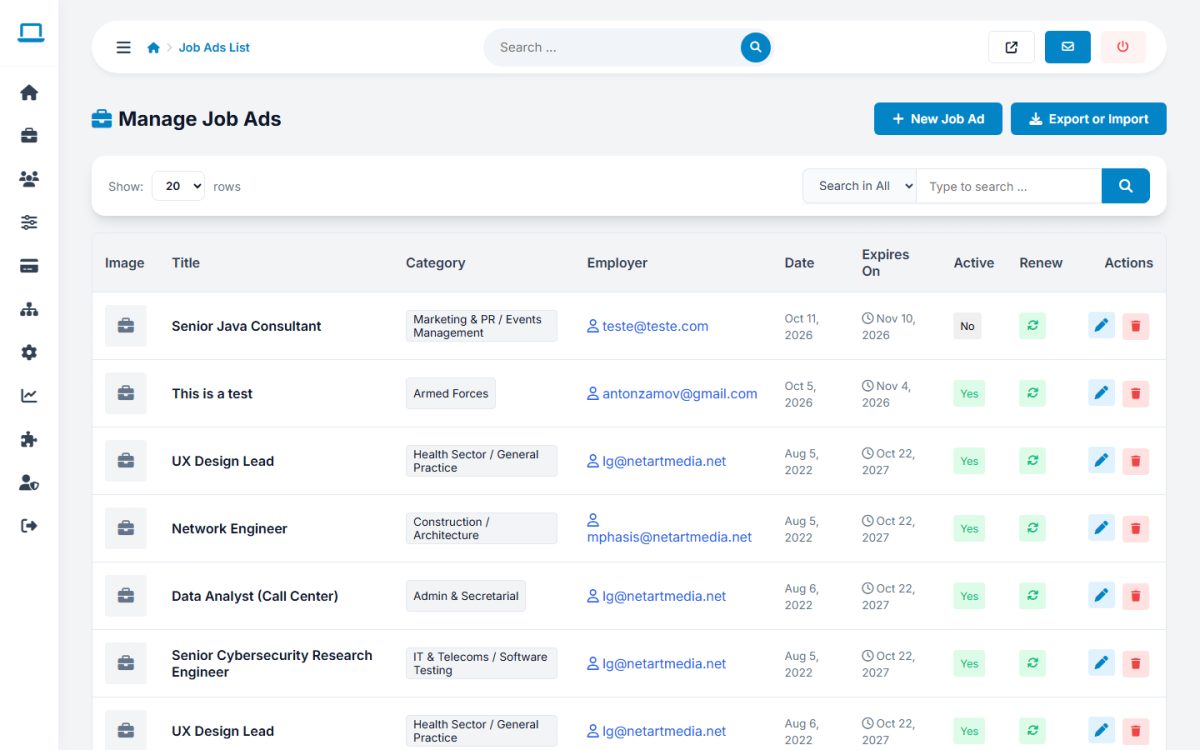
The list shows image, title, category, employer, date, expiry date and status of each ad. Search by title or employer and sort by any column. Per row you can:
- change the Active status with one click (inactive ads disappear from the public site);
- Renew the ad (new date and a new expiry);
- open the edit form – title, description, employer, category, location, salary, job type, PDF, featured status, start and end dates and custom fields – with the same AI description assistant that employers have;
- delete the ad.
Post a job for an employer
Press New Job Ad, choose the employer, category, job type, title and description (use the AI Assistant if enabled), location, salary, dates and custom fields, and press Post Job. Admin-posted jobs do not use the employer’s packages or credits.
Approving jobs
When Manually Approve New Jobs is on in Job Portal settings, new ads from employers wait for you. Open the ad and switch it to Active after reviewing it.
Applications
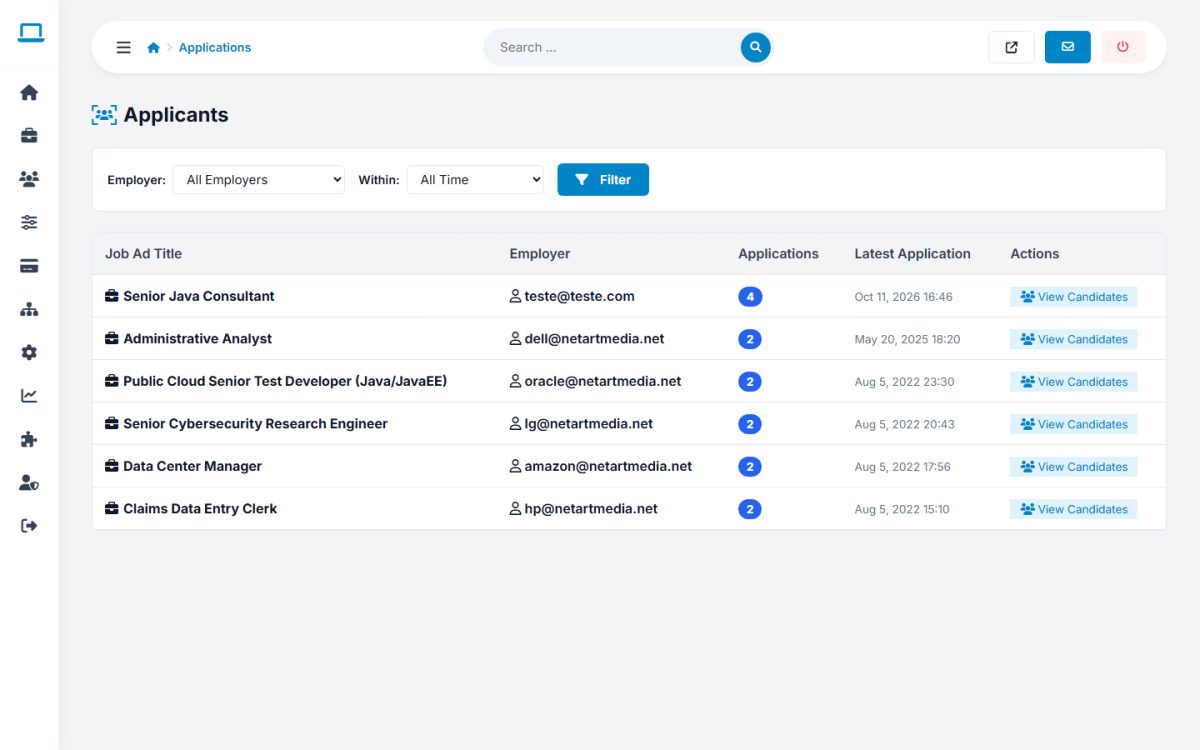
Job Listings → Applications lists the ads that received applications. Filter by employer and period (last day, 7 days, 30 days, year) and press View Candidates to see who applied, with the candidate details, message and attachments. This is useful to resolve disputes between employers and candidates.
Job Alerts
Job Alerts lists the e-mail alerts created by visitors and jobseekers (keywords, category, location). Delete spam entries or press Export Emails to download the addresses.
Export or Import
The hub imports job ads from a CSV file. Upload the file, then review the staged ads and choose Import Active, Import as Expired or Delete for each one, and press Process Selected. Use it to migrate jobs from another system.
Custom Titles
SEO titles for categories and locations are described in categories and locations.
Last updated