The public home page
The home page is built to turn visitors into registered users. It combines a prominent search box with live statistics, featured jobs and shortcuts to categories and locations.
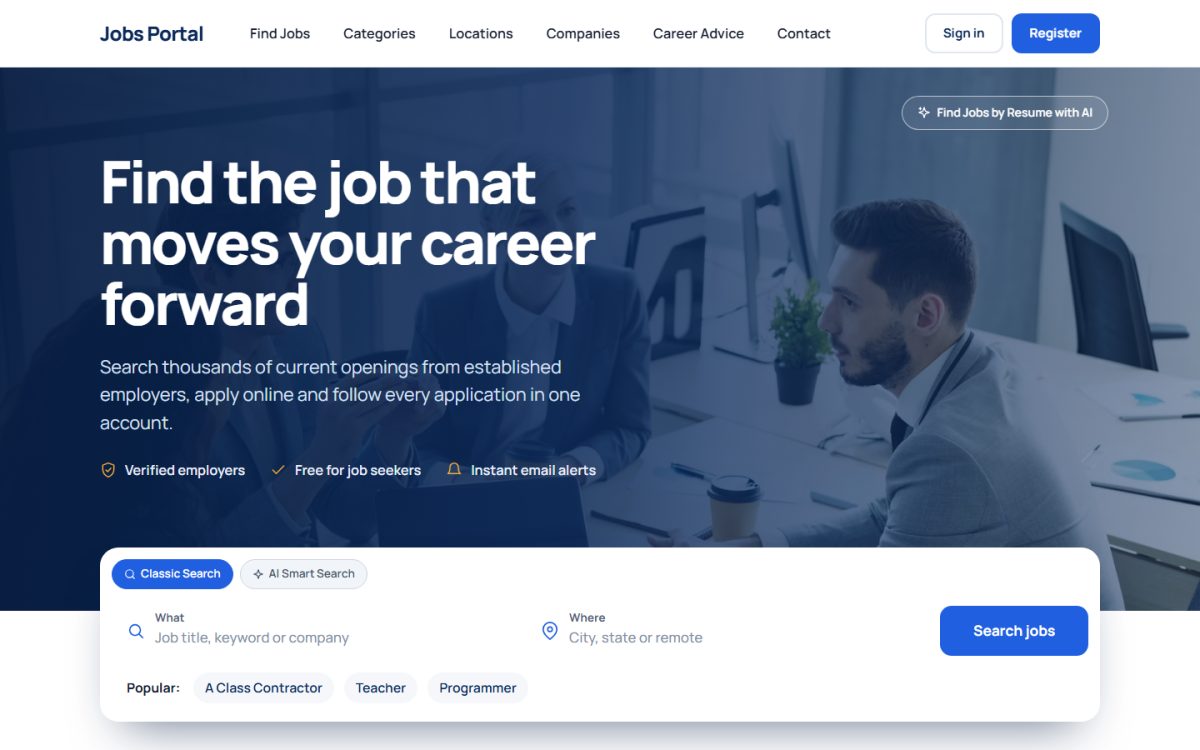
Hero search
The big search box at the top has two tabs:
- Classic Search – a job title, keyword or company in What and a city, state or remote in Where. The Popular links below it are managed in Search Keywords.
- AI Smart Search – the visitor types a sentence such as “remote React developer paying over $80k” and the AI converts it into keywords, location and salary filters. See AI job search.
A Find Jobs by Resume with AI link takes visitors to the resume matcher.
Statistics and trust signals
Counters show open positions, hiring partners, registered jobseekers and job industries, so a new site looks active from day one. Partner company logos can be added in Job Settings → Configuration Options → Employer & Candidate Rules → Partner Companies.
Latest and featured jobs
Below the hero the page lists the latest job openings with company logo, location, job type and salary. Tabs filter the list by Featured, Remote, Full Time, Part Time and Contract. The number of jobs in the featured section is set in Job Portal settings. Employers can make their jobs featured, see managing job ads.
Categories and locations
The home page also lists the most popular categories and locations with job counts (switch the counts on or off with Show Number of Jobs in Category).
Branding the page
- Logo and favicon: Website → Logo & Favicon.
- Colors, font and button shape: Settings → Appearance.
- Menu items and page titles: Website → Pages.
- Texts on the page: Website → Interface Texts.
Last updated