The Bot filter: see which robots were kept out of your statistics
A large share of website traffic is not human. The Bot filter report shows the robots VisitAnalytics removed, so you can trust the other reports – and verify the filter is doing its job.
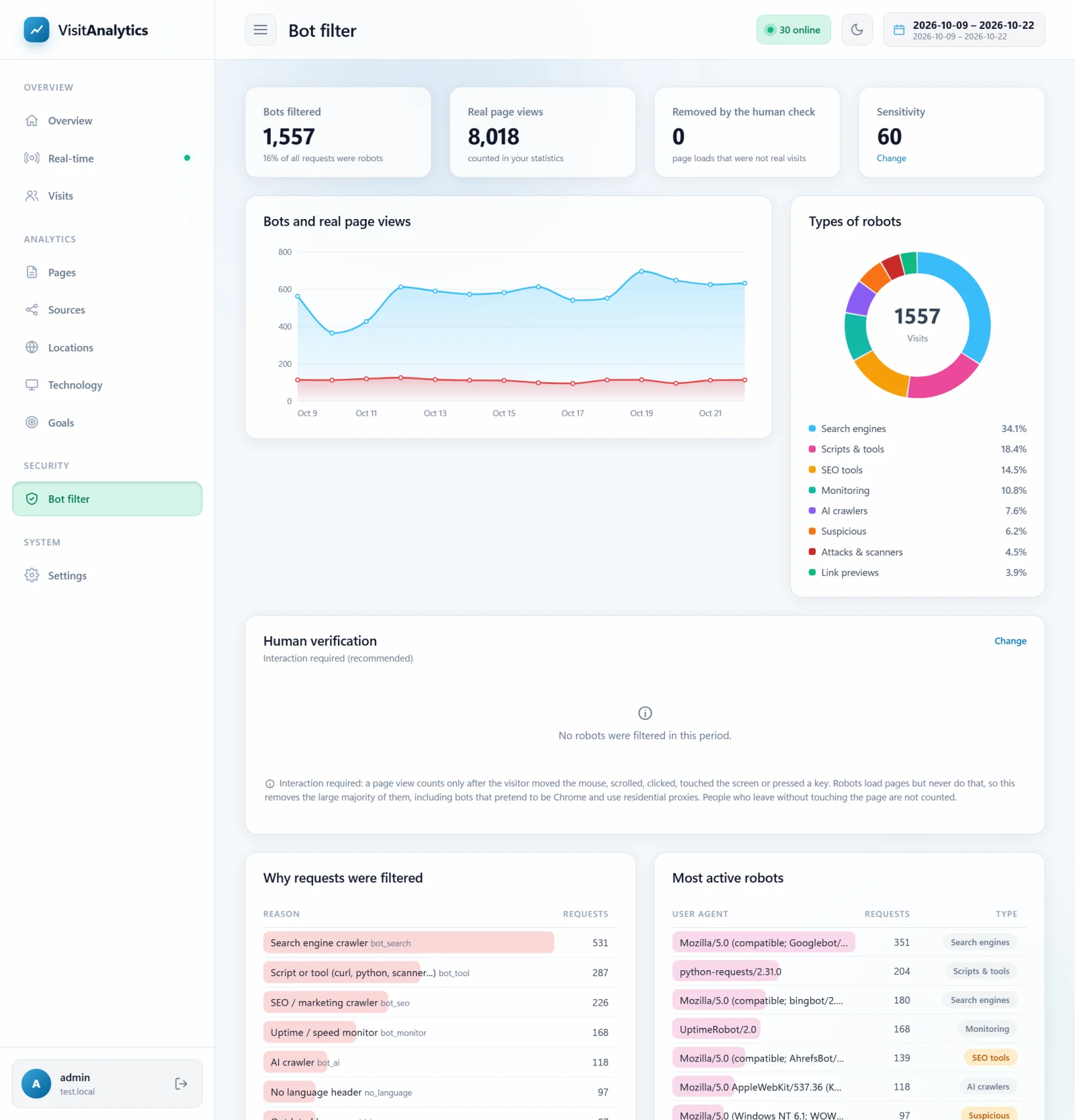
The numbers at the top
| Tile | Meaning |
|---|---|
| Bots filtered | Robot requests in the period and their share of all requests. |
| Real page views | The page views counted in your statistics. |
| Removed by the human check | Page loads that were not real visits: no mouse, scroll, click or touch happened, or the script found an automated browser. See human verification. The card below the charts lists the exact reasons. |
| Sensitivity | The current bot threshold. Press Change to adjust it in Tracking settings: bot sensitivity, ignored pages, sessions and more. |
Types of robots
| Type | Examples |
|---|---|
| Search engines | Googlebot, Bingbot, YandexBot, Baiduspider, DuckDuckBot, Applebot |
| AI crawlers | GPTBot, ClaudeBot, PerplexityBot, CCBot, Amazonbot, Bytespider |
| Link previews | The robots of Facebook, X, LinkedIn, Slack, Telegram and WhatsApp that build the preview when a link is shared |
| SEO tools | AhrefsBot, SemrushBot, MJ12bot, Screaming Frog |
| Monitoring | UptimeRobot, Pingdom, GTmetrix, Lighthouse |
| Scripts and tools | curl, Python requests, Go, Java, headless browsers, scrapers, security scanners |
| Spam | Fake referrers that advertise their website in your statistics |
| Attacks and scanners | Requests for /wp-login.php, /.env, xmlrpc.php, directory traversal... |
| Suspicious | Requests that pretend to be a browser but fail several checks. See How VisitAnalytics detects bots and counts only real visits. |
Good robots such as Googlebot are welcome on your website – they just do not belong in visitor statistics. Filtering them has no influence on your search ranking.
Why requests were filtered
A bar list with every reason and its count, for example "Search engine crawler", "Script or tool", "Looks for vulnerable pages" or "Modern browser without security headers". The most active robots are listed with their user agent.
Recently filtered requests
A table of the latest filtered requests with time, country, IP address, page, user agent, reasons and score. Next to every row is a small × button: Never track this IP address adds the address to the ignore list (How to exclude your own IP address and private pages from statistics).
Is a real visitor being filtered?
- Look at the recent list for a normal browser name (for example Chrome on Windows) with reasons like "No language header".
- If these are real people (for example a corporate proxy), lower the sensitivity: move the slider in Tracking settings: bot sensitivity, ignored pages, sessions and more towards Lenient.
- If you see many robots in your Overview that were not filtered, move it towards Strict and keep human verification on.
Only robot requests that would have been normal page views are logged here (HTML pages with status 200 or 404); images and scripts are ignored. At most about 3 MB of robot details are saved per day.
Last updated