What is VisitAnalytics?
VisitAnalytics is a website statistics script that you install on your own server. It shows who visits your website, from where, on which device and what they read – and it keeps robots and spam out of the numbers.
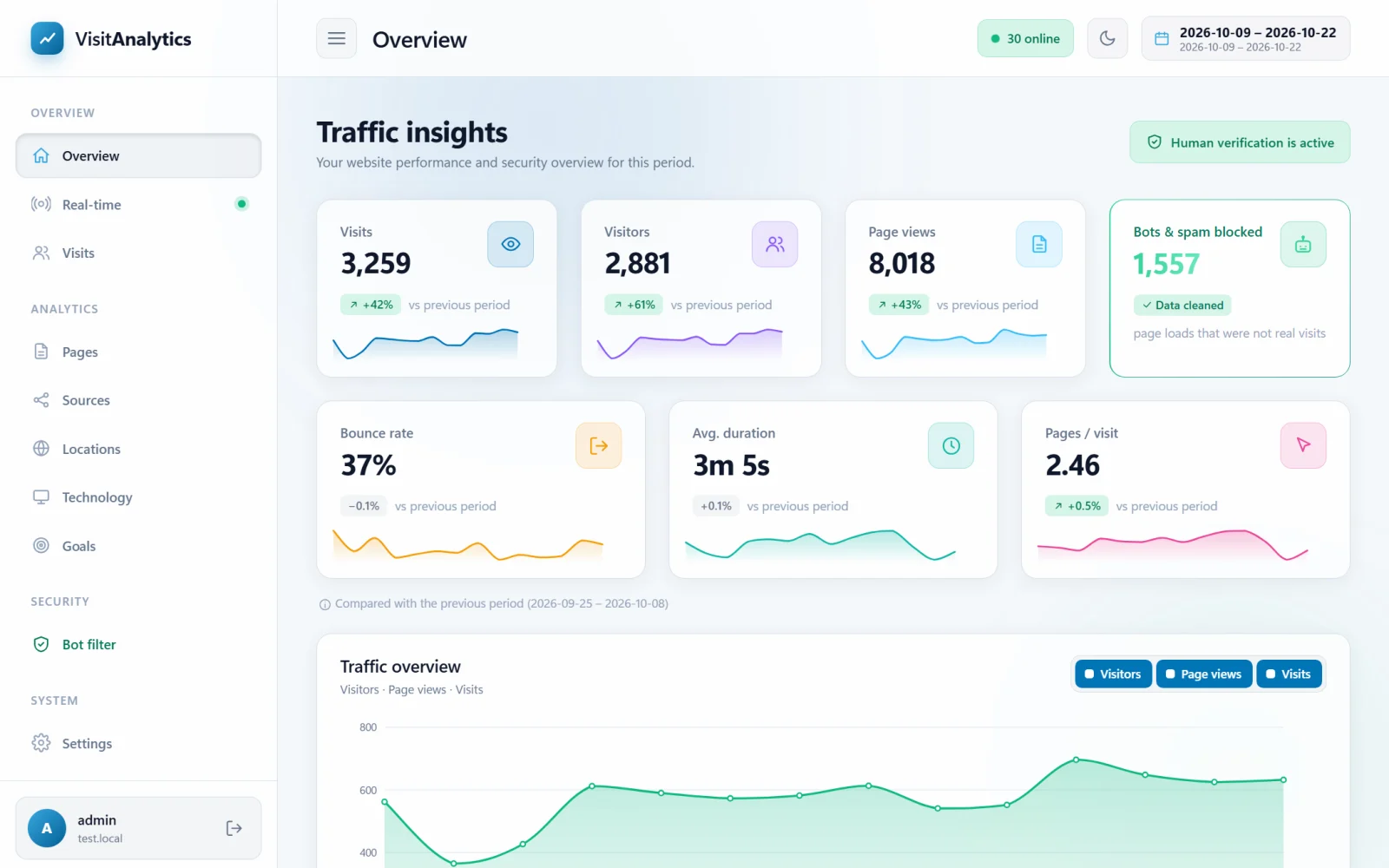
The main ideas
- No database. All statistics are saved in plain XML files, one file per day, inside the
datafolder of the script. There is nothing to create, back up or repair in MySQL. - No cookies. Visitors are recognized by a one-way hash of their IP address and browser, so nothing is stored on their devices and no consent banner is needed for the tracking itself.
- Real visits only. Search engine crawlers, AI bots, SEO tools, uptime monitors, scripts, vulnerability scanners and referrer spam are detected and kept out of the statistics. See the Bot filter.
- Works like an include. One line of PHP in your website's
index.phprecords the visit after the page has been delivered. It does not slow your pages down. See How to add the tracking code to your website. - Modern admin panel. Charts, live view, source and country reports, goals, a visit log and a dark mode – all translatable. See The admin panel at a glance.
What is recorded for every visit
| Group | Details |
|---|---|
| Request | Time, page address, referring website, campaign tags (UTM), protocol |
| Visitor | IP address (optionally anonymized), country, browser language |
| Device | Browser and version, operating system and version, device type, phone or tablet model |
| Human verification script | Proof of real mouse, scroll or touch input, screen size, time on page, scroll depth, time zone, page title – see Human verification: count only visitors who really use the page |
The complete list of stored fields is in The XML data format of the daily statistics files.
What you can do with it
- See how many visitors you have and compare them with the previous period (The Overview report: visitors, visits, page views and bounce rate).
- Watch visitors live (Real-time: see who is on your website right now).
- Find your best pages and your broken links (Pages report: most viewed pages, time on page and exit rate, Find broken links with the Page not found (404) report).
- Learn which channels send traffic: search, social networks, email, ads and AI assistants (Traffic sources: search, social, email, paid, direct and referral, Track visitors from ChatGPT, Perplexity and other AI assistants).
- Measure conversions with goals.
- Follow every single visit page by page (The Visits log: browse every single visit).
This manual describes VisitAnalytics 2.0. Start with System requirements and How to install VisitAnalytics, or use the contents page to jump to the topic you need.
Last updated