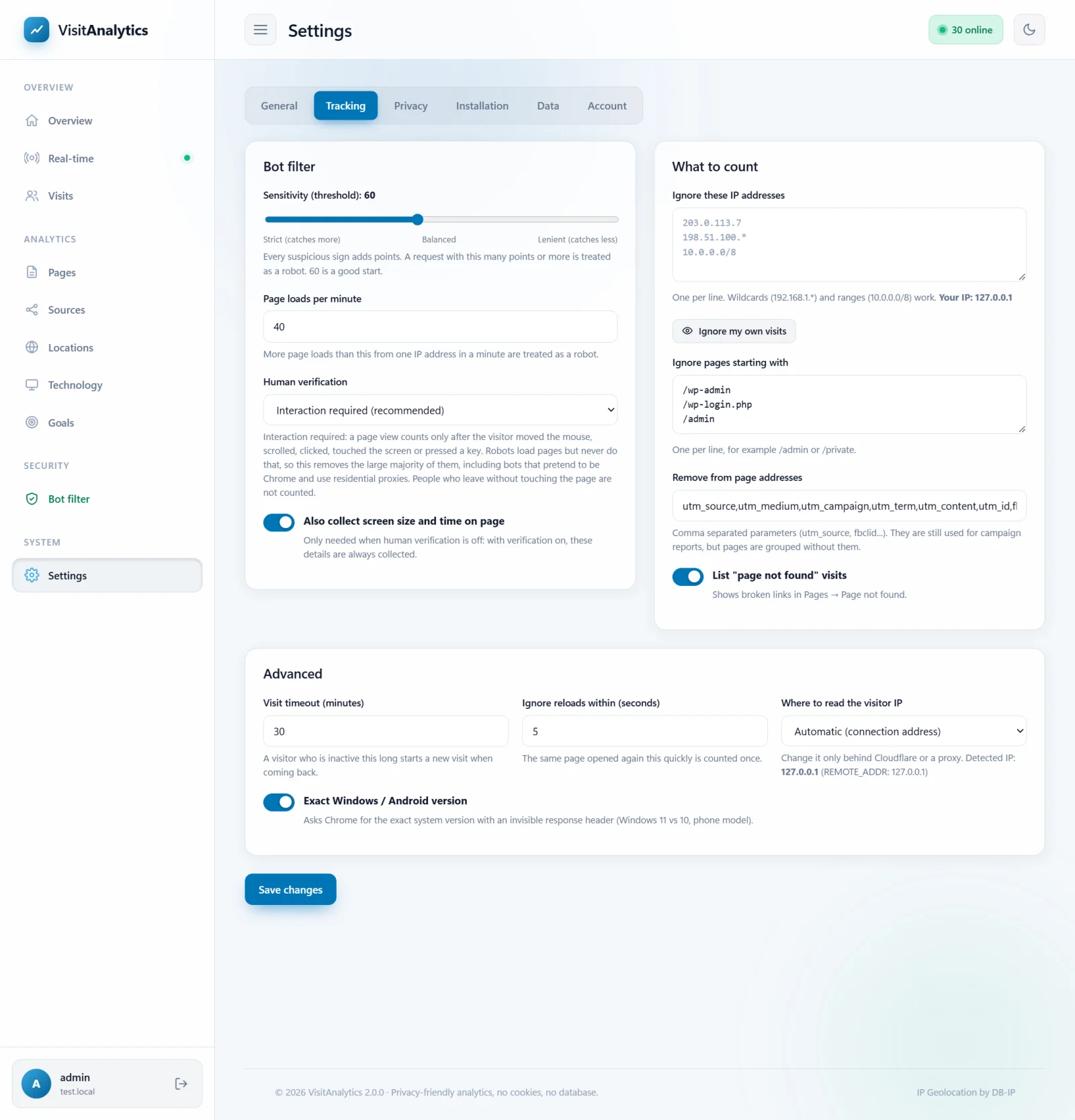
Human verification: count only visitors who really use the page
Modern bots copy the browser name and every header of a real Chrome and come from residential proxy addresses. No header check can recognize them. What they do not do is use the page – so VisitAnalytics waits for proof that a person is there.
How it works
- When your page is generated, VisitAnalytics adds a very small script just before the closing
</body>tag. The page view is saved on the server as unconfirmed. - The script waits for the first real input of the visitor: two mouse movements, a scroll, a click, a touch on the screen, a key press or the mouse wheel. Events produced by other scripts (they are marked "untrusted" by the browser) are ignored.
- At that moment the script sends one short message to
beacon.php. The message carries a token that was made for this exact page view, for the IP address of the visitor, and that expires after 2 hours. Messages with a wrong, expired or reused token are discarded. - Only now the page view counts in all reports. Page views that never get this confirmation are shown in the The Bot filter: see which robots were kept out of your statistics as "No mouse, scroll, click or touch".
The three modes
| Setting | What counts as a real visit |
|---|---|
| Interaction required (default, recommended) | The visitor moved the mouse, scrolled, clicked, touched or typed. |
| JavaScript must run | The script ran and reported, even without interaction. Removes robots that do not run JavaScript, but not those that open the page in a browser. |
| Off | Only the header checks of How VisitAnalytics detects bots and counts only real visits are used. Many bots pass them. |
Change it in Settings → Tracking → Human verification.
What else the script checks
With the first message the script also reports facts that expose automated browsers. A page view with any of these signs is removed:
| Sign | Meaning |
|---|---|
| Webdriver | The browser says it is remote controlled (Selenium, Puppeteer, Playwright). |
| Headless | No language list, or "HeadlessChrome" in the name. |
| Browser name differs | The name sent in the request headers is not the name the browser reports to JavaScript – a sign of a faked identity. |
| System does not match | The name says "Mac" or "Windows", but the real platform is Linux. Scrapers running on servers fake this all the time. |
| Software graphics | The graphics renderer is SwiftShader, llvmpipe or similar software drawing, typical for servers and virtual machines. |
| No screen / too early | A screen size of zero, or an "interaction" faster than a page can be read. |
Extra data you get
| Data | Used in |
|---|---|
| Time on page and scroll depth | Pages report: most viewed pages, time on page and exit rate, Visit details: the path of one visitor through your website, visit duration |
| Screen and window size, pixel ratio | Devices, browsers, operating systems and screen sizes |
| Time zone of the device | Locations: visitor countries, languages and time zones |
| Page title | Pages report, visit details |
| Touch screen (finds iPads that pretend to be Macs) | Technology report |
What you give up
- Visitors who leave without touching the page (a very quick bounce) are not counted. On real sites this is a small number compared with the robots that are removed.
- Visitors who disable JavaScript are not counted in the default mode.
- Numbers will be much lower than before you switched it on – that is the point. Days before the check was switched on keep their old numbers; delete them in Your data: where statistics are stored, backup and deleting data if you prefer a clean start.
Honest limits
A program built specifically to read the token from your page and post a fake confirmation can still pass the check, as can a human-like bot that really moves a mouse. They are far less common and far more expensive for the sender than ordinary scrapers. Combine the check with the The Bot filter: see which robots were kept out of your statistics reports and with IP exclusions.
Caches and security policies: the script is added while PHP generates the page. A full-page cache serves a stored copy without it (Troubleshooting: no visits recorded, wrong IP, empty reports). A strict Content-Security-Policy header that forbids inline scripts blocks it too: allow inline scripts or exclude those pages.
The stored fields are described in The XML data format of the daily statistics files; privacy notes are in Privacy settings: anonymize IP addresses, Do Not Track and data retention.
Last updated