Devices, browsers, operating systems and screen sizes
The Technology report tells you what your visitors hold in their hands, so you know which browsers and screens your website must support.
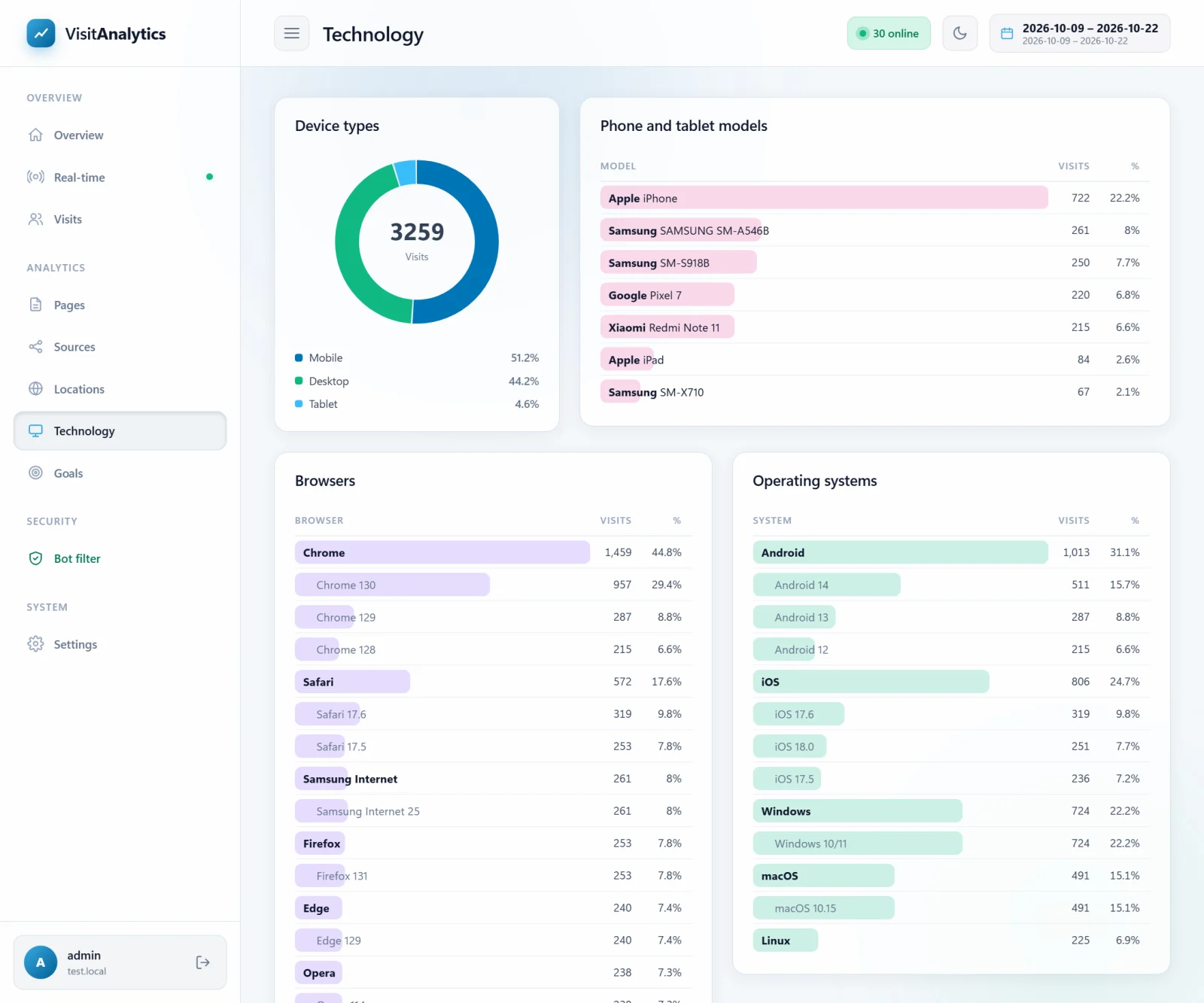
Device types
Every visit is classified as Desktop, Mobile, Tablet, Smart TV or Game console. The mobile and tablet share is also shown as a highlight on the The Overview report: visitors, visits, page views and bounce rate.
Phone and tablet models
For Android devices the model name is read from the browser (for example Samsung SM-S918B or Google Pixel 7); iPhones and iPads are listed as Apple iPhone and Apple iPad. Modern Chrome reduces the model in the standard browser string, therefore VisitAnalytics asks Chrome for it with an invisible response header; you can turn this off (Tracking settings: bot sensitivity, ignored pages, sessions and more).
Browsers and versions
Chrome, Safari, Firefox, Edge, Opera, Samsung Internet and others, each with its most used versions. In-app browsers are detected too: "Facebook App", "Instagram App", "TikTok App", "LinkedIn App", "WeChat" and more – visitors who open your link inside another app. Look at this list when you share links on social networks: your pages must work well in these in-app browsers.
Operating systems
Windows (with "10/11" or, with client hints, exactly 10 or 11), macOS, iOS, iPadOS, Android with its version, Linux, ChromeOS and others. Android and iOS versions tell you how old the devices of your audience are.
Screen resolutions
The screen size in pixels (for example 1920x1080 or 390x844) is available only with the Human verification: count only visitors who really use the page. Without it the card explains how to enable it.
Bots are not included
Because robots are filtered out first, this report describes real people – unlike many tools where "Linux / Chrome 60" desktop numbers are inflated by crawlers.
Last updated