Visit details: the path of one visitor through your website
The visit detail page shows what one visitor did on your website, in order, with the time spent on each page.
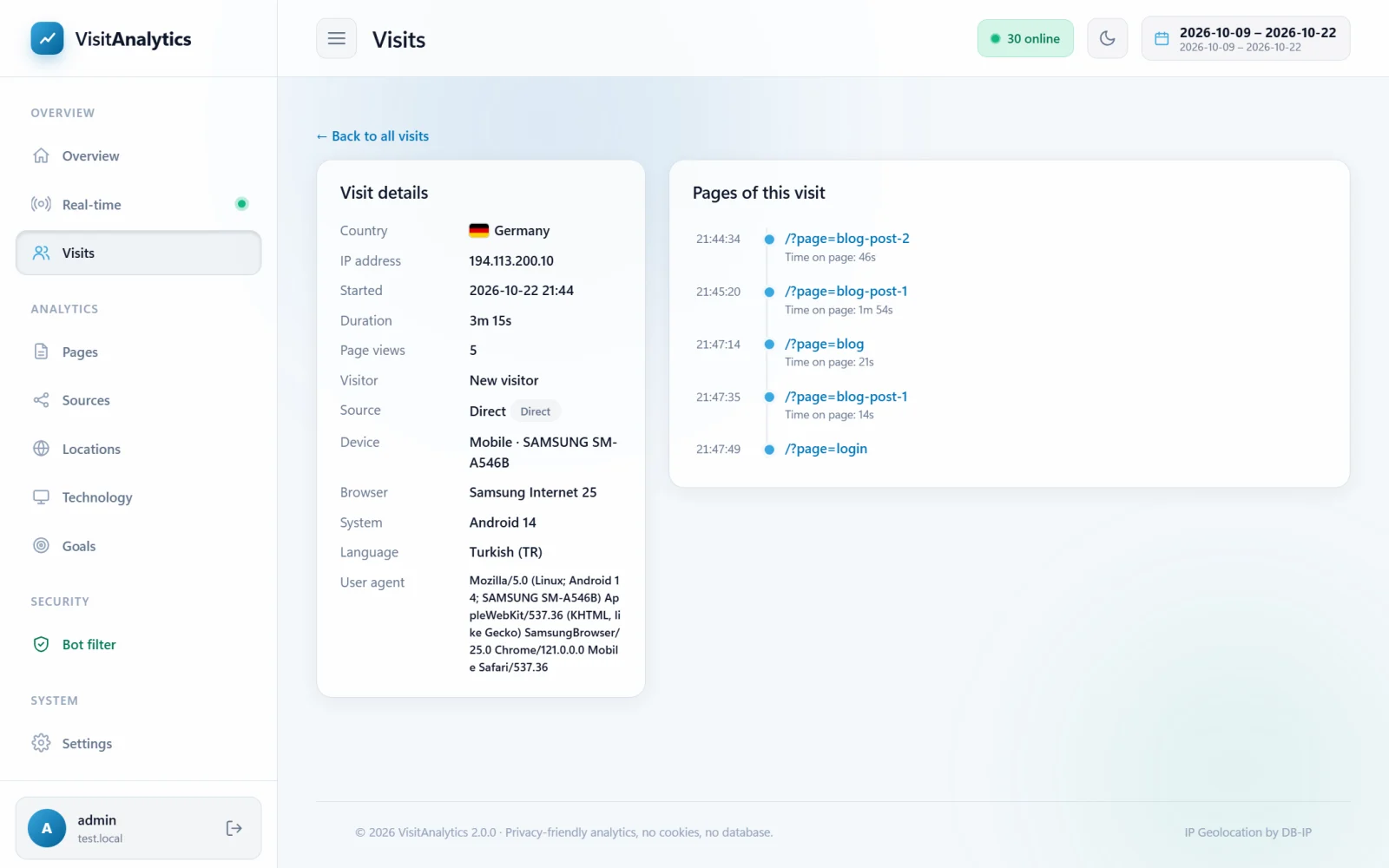
Visit details (left)
| Item | Meaning |
|---|---|
| Country, IP address | Where the visit came from. |
| Started, Duration, Page views | When it began, how long it lasted and how many pages were opened. |
| Visitor | "New visitor" or "Returning visitor". |
| Source and Referrer | The channel, source name and the full address of the referring page (click to open it). |
| Device, Browser, System | Device type and model, browser and version, operating system and version. |
| Language | The browser language. |
| Resolution | Screen size (with the beacon). |
| User agent | The raw browser identification string, useful to investigate unusual visitors. |
The timeline (right)
Every page of the visit with the time of day. Below each address you may see:
- the page title (with the beacon),
- Time on page – measured with the beacon, or calculated from the time until the next page,
- scrolled N% – how far down the page the visitor scrolled (with the beacon).
Other visits of this visitor
If the same visitor came more than once in the selected period, the earlier or later visits are listed below the timeline.
Use it for support: when a customer reports a problem, find their visit by IP address in the The Visits log: browse every single visit and see exactly which pages they opened.
Last updated