Your data: where statistics are stored, backup and deleting data
Because there is no database, your statistics are just files. That makes backups and moves very simple.
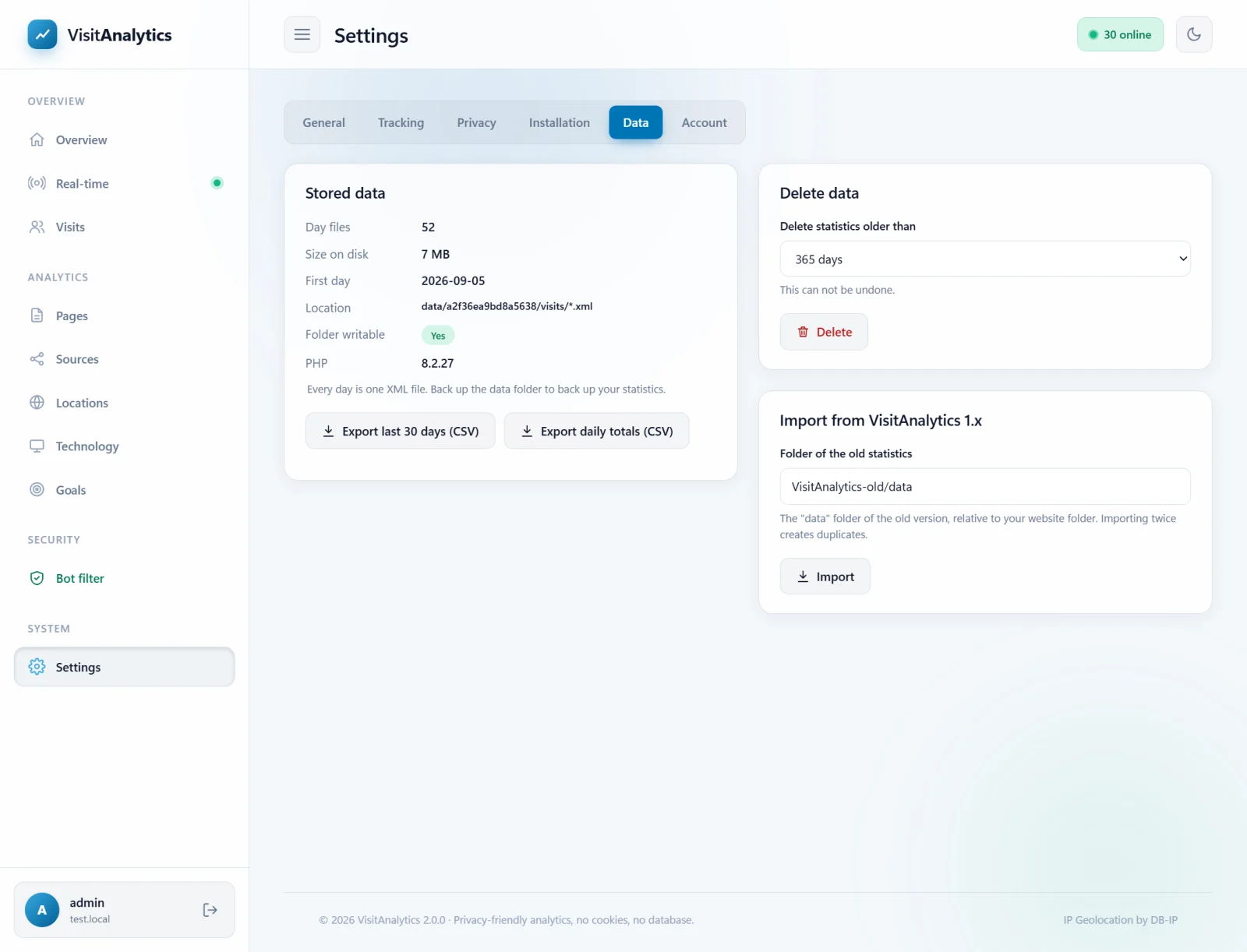
Stored data
The Data tab shows the number of day files, the size on disk, the first recorded day, the exact location of the files, whether the folder is writable and your PHP version.
VisitAnalytics/
  config.php                         ← your settings
  data/
    e8729ba48023ab16/                ← random folder name
      visits/2026-10-25.xml          ← one file per day
      bots/2026-10-25.xml            ← filtered robots
      cache/ tmp/                    ← temporary, safe to delete
The format is described in The XML data format of the daily statistics files. Plan for roughly 250 KB per 1,000 page views.
Backup and moving to another server
- Copy the whole
VisitAnalyticsfolder with FTP, or at leastconfig.phpand thedatafolder. - To restore or move, upload them into a fresh copy of VisitAnalytics on the new server and open the admin panel. Everything is back, including the password and goals.
- Remember to install the tracking code in the new website.
Exporting
Export last 30 days (CSV) downloads every page view with all stored details; Export daily totals (CSV) downloads one row per day. See Export statistics to CSV for Excel and Google Sheets.
Deleting data
In Delete data choose Delete statistics older than 365, 180, 90 or 30 days, or Everything, then press Delete and confirm. This cannot be undone. It removes visit and bot files and the cached reports. For automatic deletion use Keep data for (days) in Privacy settings: anonymize IP addresses, Do Not Track and data retention.
Disk space and speed
Reports of past days are cached, so large archives stay fast. Reports for very long periods on busy websites (hundreds of thousands of page views per month) take a little longer the first time they are opened, then are cached.
Last updated