Privacy settings: anonymize IP addresses, Do Not Track and data retention
VisitAnalytics is built to collect only what a website owner needs and to keep it on the owner's own server.
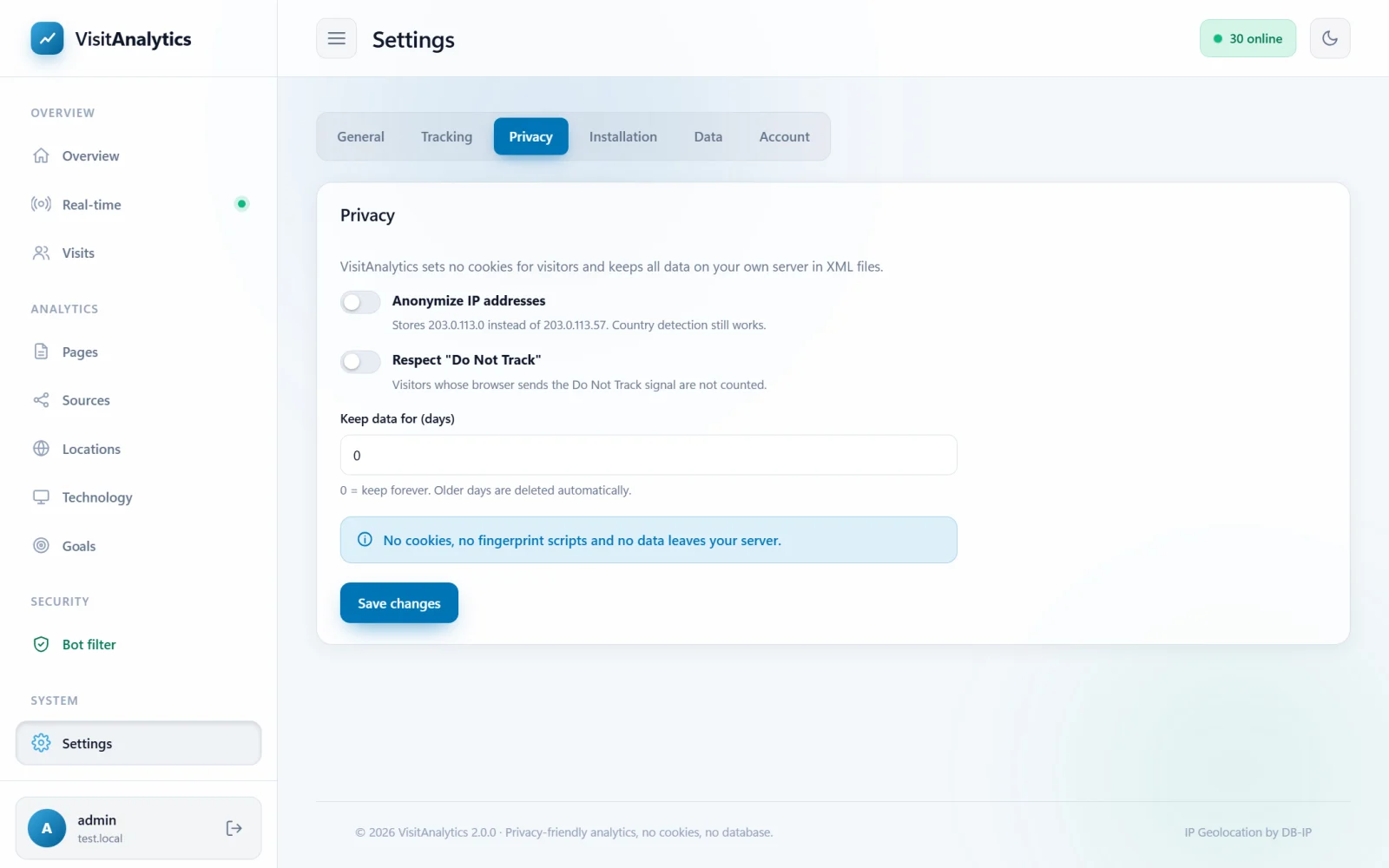
What VisitAnalytics does for privacy
- No cookies and no local storage on the visitor's device. A visitor is recognized by a one-way hash of IP address, browser and a secret key of your installation; the hash cannot be turned back into an address.
- No third parties. All data stays in XML files on your server. The country is found with a built-in database; no IP address is sent anywhere.
- No fingerprinting scripts. The optional beacon reads a handful of technical values (screen size, time zone...) to improve the statistics, and does not store them on the visitor's device.
The settings
| Setting | Explanation |
|---|---|
| Anonymize IP addresses | Stores 203.0.113.0 instead of 203.0.113.57 (for IPv6 the last 80 bits are cut). The country is detected before shortening, so country reports are unaffected. The visitor hash is still calculated from the full address, so unique visitor counting stays accurate. Visits of before the change keep their full addresses. |
| Respect "Do Not Track" | Visitors whose browser sends the Do Not Track signal are not counted at all. |
| Keep data for (days) | 0 = forever. With a number, day files older than that are deleted automatically (checked once a day when a visit is recorded). |
Legal note
Laws differ by country, and whether you need to inform your visitors or ask for consent depends on your location and how you use the data. VisitAnalytics gives you the technical means to minimize data (no cookies, anonymized IP, short retention, own server), but it cannot give legal advice – mention the statistics in your privacy policy and check the rules that apply to you.
Handling a deletion request
Because the data is plain XML, you can find all records of an IP address by searching the files in data/…/visits/ for the address and deleting the lines. Anonymization and a short retention period avoid the need in the first place. See Your data: where statistics are stored, backup and deleting data.
Last updated