The Visits log: browse every single visit
The Visits page is the detailed view under all the totals: one row for every visit, newest first.
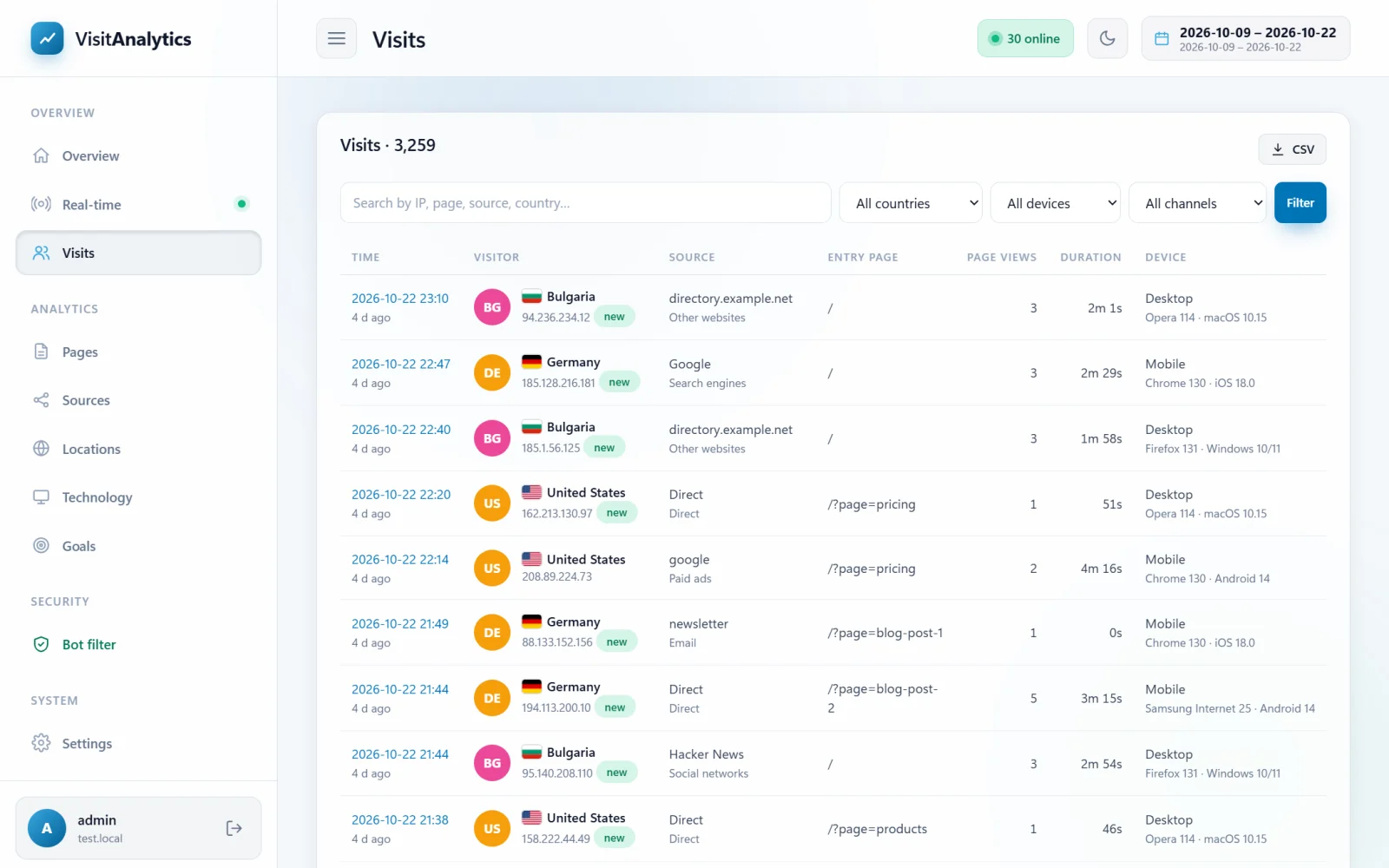
The columns
| Column | Meaning |
|---|---|
| Time | When the visit started and how long ago. A green new label (next to the IP) marks first-time visitors. |
| Visitor | Country with flag and the IP address (shortened if you use IP anonymization). |
| Source | Where the visitor came from and the channel. |
| Entry page | The first page of the visit. |
| Page views | How many pages were opened. |
| Duration | How long the visit lasted. |
| Device | Device type, browser with version and operating system. |
Search and filters
- The search box looks in the IP address, entry and exit pages, referrer, source, user agent and country name. Try an IP address you want to investigate or a part of a page address.
- The drop-down lists filter by country, device and channel.
- Press Filter to apply and Reset to clear.
The list shows 40 visits per page; use Previous / Next at the bottom. The period is the one chosen in the Choosing the date range of a report.
Opening a visit
Click any row to open the visit details with the complete path through your website.
Export
The CSV button exports all visits of the period (not just the filtered ones), see Export statistics to CSV for Excel and Google Sheets.
Looking for a visit that is missing? Robots and your own excluded IP addresses are not recorded. Check the The Bot filter: see which robots were kept out of your statistics and How to exclude your own IP address and private pages from statistics.
Last updated