Goals: track conversions such as sign-ups, orders and downloads
A goal is a page that means success: the "thank you" page after an order, the confirmation of a newsletter signup, a download page. VisitAnalytics counts how many visits reached it.
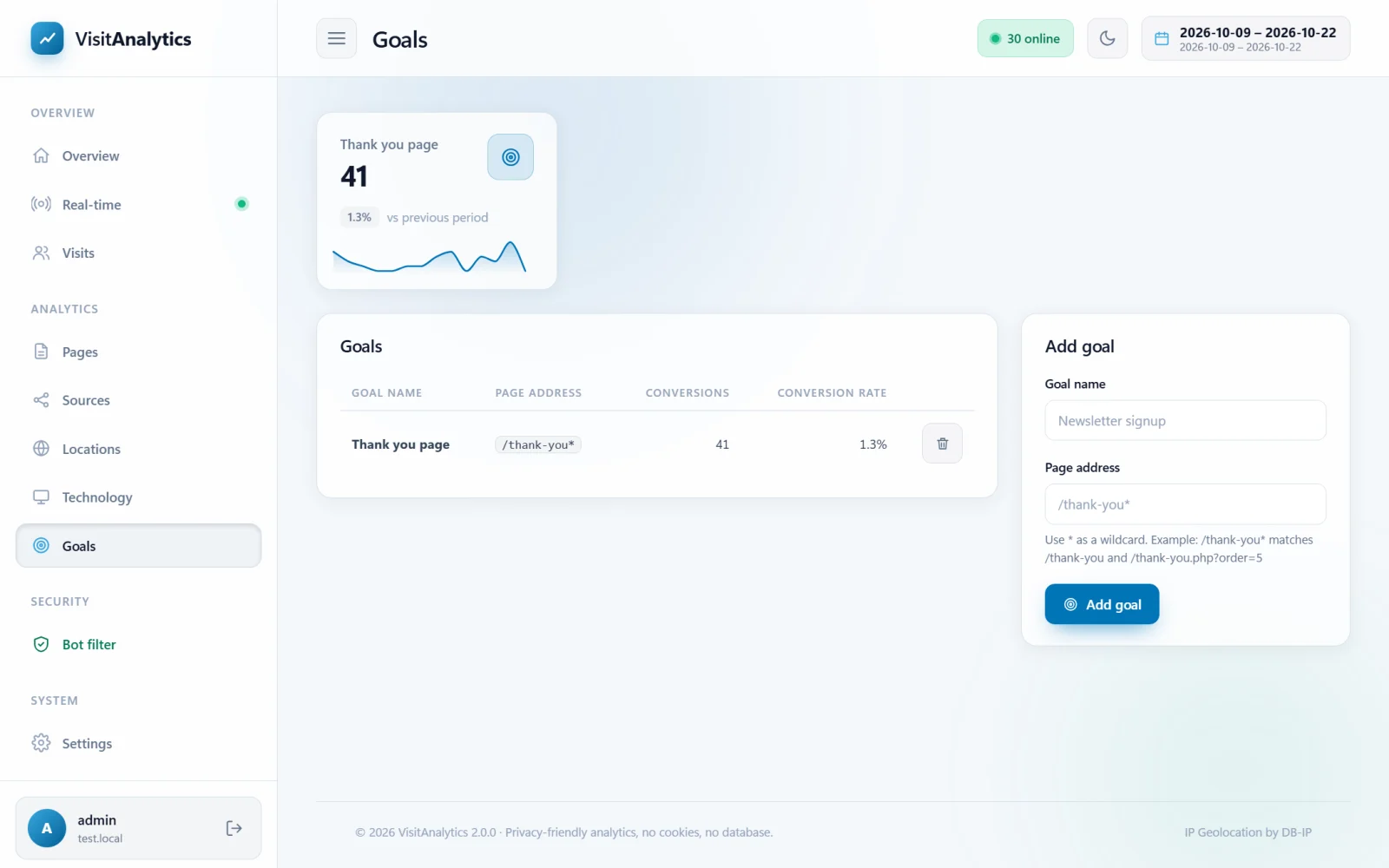
Adding a goal
- Open Goals in the Manage section of the menu.
- Enter a Goal name, for example "Newsletter signup".
- Enter the Page address of the success page, for example
/thank-you. - Press Add goal.
Past visits count too: goals are calculated from the stored page views, so a new goal immediately shows its history.
Wildcards
Use * for "anything". Examples:
| Page address | Matches |
|---|---|
/thank-you | exactly that page |
/thank-you* | /thank-you, /thank-you.php, /thank-you?order=5 |
/products/* | every page below /products/ |
/?page=signup-done | a page of a script that uses a query string |
The match is case-insensitive and is tested on both the path and the full address with its query string.
What you see
- A tile for each goal with the number of conversions, the conversion rate (conversions divided by visits) and a trend line.
- A table of goals with the same numbers, and a delete button.
- In Traffic sources: search, social, email, paid, direct and referral the Conversions column per channel shows which traffic converts best.
Good to know
- A goal is counted once per visit, even if the visitor reaches the page twice.
- The goal must be a page that loads (an address). Clicks on buttons or form events that do not open a new page cannot be tracked – send the visitor to a thank-you page after the action.
- Deleting a goal does not delete any statistics.
Last updated