Tracking settings: bot sensitivity, ignored pages, sessions and more
The Tracking tab decides what counts as a visit. The defaults suit most websites; change them only when you have a reason.
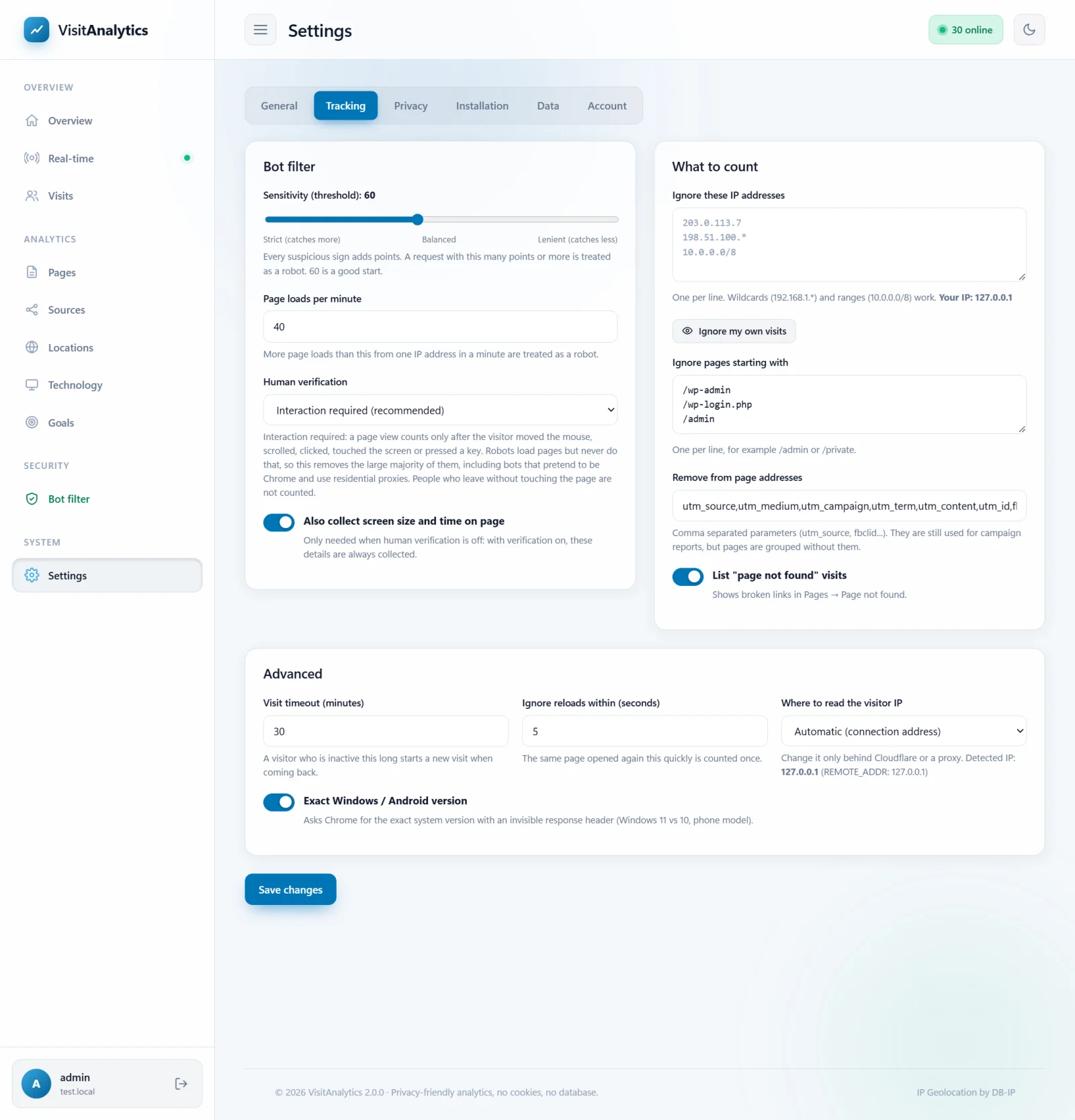
Bot filter
| Setting | Explanation |
|---|---|
| Sensitivity (threshold) | 30–100, default 60. Suspicious signs add points; a request with at least this many points is a robot. Lower = stricter (catches more, may remove a few real visitors), higher = more lenient. See How VisitAnalytics detects bots and counts only real visits. |
| Page loads per minute | Default 40. More page loads than this from one IP address within a minute are counted as a robot. Raise it for offices where many people share one address. |
| Human verification | Interaction required (default): a page view counts only after the visitor moved the mouse, scrolled, clicked or touched the screen. JavaScript must run: the script has to report. Off: header checks only. See Human verification: count only visitors who really use the page. |
| Also collect screen size and time on page | Only used when human verification is off; with it on these details are always collected. |
What to count
| Setting | Explanation |
|---|---|
| Ignore these IP addresses | One per line, wildcards and ranges allowed. See How to exclude your own IP address and private pages from statistics. |
| Ignore pages starting with | Addresses that are never recorded, one per line. |
| Remove from page addresses | A comma-separated list of URL parameters that are cut from the stored page address, by default the UTM tags and click IDs (utm_source, utm_medium, fbclid, gclid...). They still feed the campaign report, but a page is not split into many entries. Add your own tracking parameters here. |
| List "page not found" visits | Keeps the 404 list (Find broken links with the Page not found (404) report). |
Advanced
| Setting | Explanation |
|---|---|
| Visit timeout (minutes) | 1–240, default 30. After this much inactivity a returning visitor starts a new visit. Changing it changes how visits are counted for the whole history. |
| Ignore reloads within (seconds) | 0–60, default 5. The same page opened again by the same visitor this quickly is counted once. |
| Where to read the visitor IP | Usually "Automatic". Change it behind Cloudflare or a proxy: Cloudflare, proxies and load balancers: get the real visitor IP. |
| Exact Windows / Android version | Asks Chrome for the exact system version and phone model with an invisible response header (Accept-CH), to tell Windows 11 from Windows 10. No effect on page content. |
After every change press Save changes at the bottom of the page. Changes apply to new visits immediately; the Bot filter report shows their effect within minutes.
Last updated