Adding and editing listings as admin
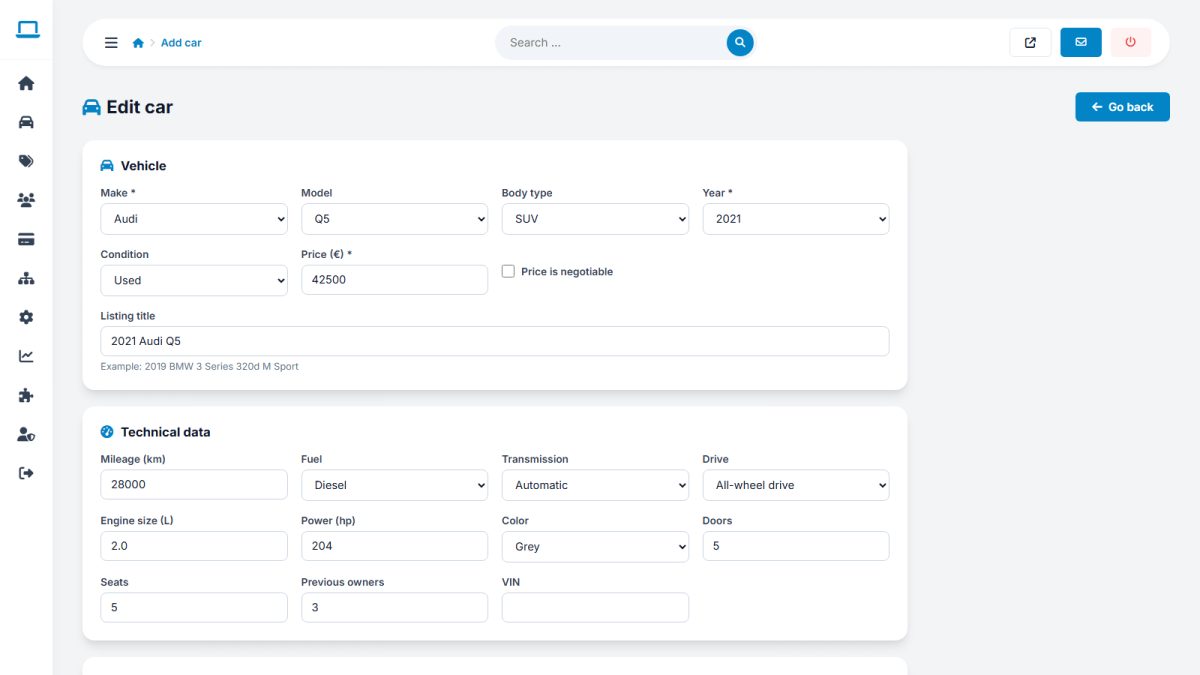
The admin form is the same as the seller form, plus extra controls that only you have.
Admin › Car listings › Add car
Adding a car
Choose the seller the car belongs to, then fill in the vehicle data, price, photos, equipment and description exactly as in the seller form. The AI writer is available here too.
Admin-only options
| Option | Description |
|---|---|
| Seller | Assign or change the owner of the listing |
| Status | Draft, pending, active, rejected, expired or sold |
| Featured | Place the car on top, optionally until a date |
| Expiry date | Set exactly when the listing ends |
| Rejection reason | Shown to the seller if the status is rejected |
Editing
Open any car from All listings. Changes are saved immediately. Photos can be added, removed and reordered.
Starting a new site? Use CSV import to add many cars at once instead of adding them one by one.
Last updated