Search and filters
Visitors find the right car quickly with a filter panel that covers everything buyers care about.
The filter panel
On the results page the filters sit in a panel on the left (above the results on a phone). Changing a filter refreshes the list.
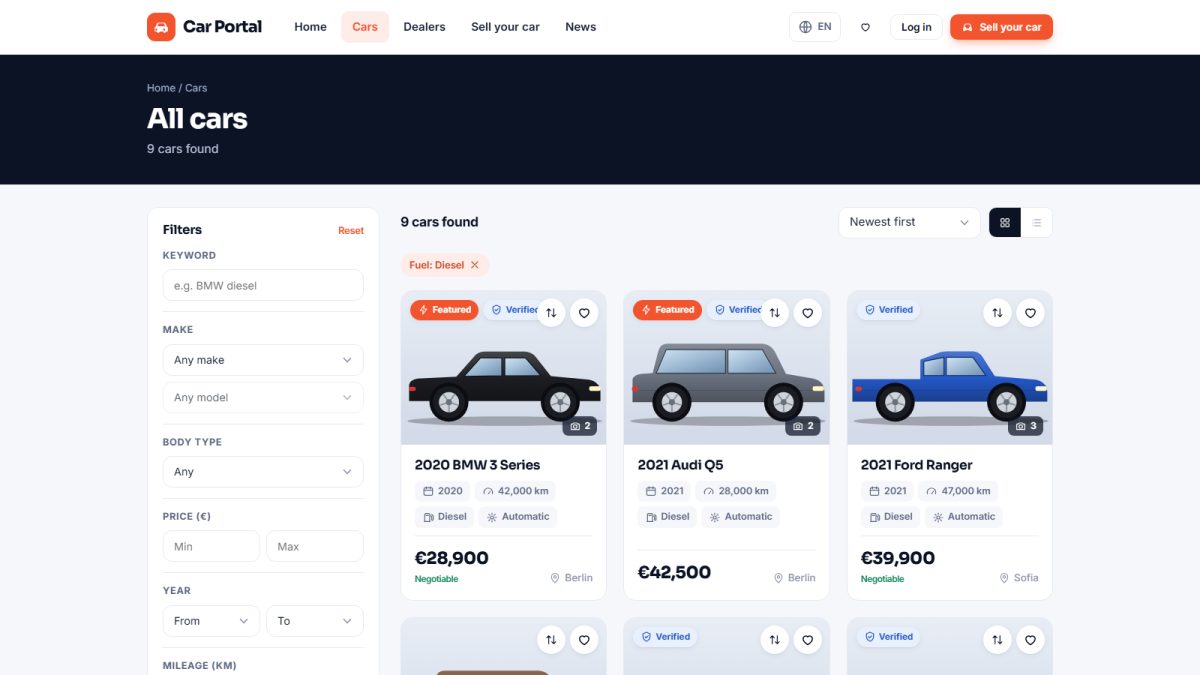
| Filter | How it works |
|---|---|
| Keyword | Searches title, description, make and model |
| Make & model | Dependent lists: the model list only shows models of the selected make |
| Body type | Sedan, SUV, hatchback, estate, coupe, convertible, van and more (from the catalog) |
| Price range | Minimum and maximum price |
| Year range | First registration year from / to |
| Mileage | Maximum mileage, in kilometres or miles (see listing settings) |
| Fuel & transmission | Petrol, diesel, hybrid, electric, LPG; manual or automatic |
| Drive & colour | Front, rear or all-wheel drive; body colour |
| Condition | New or used |
| Seller type | Private sellers or dealers |
| City / location | Where the car is |
| Equipment | Tick features such as air conditioning, navigation or leather seats |
Active filter pills
Every filter that is applied appears as a small pill above the results. Click the × on a pill to remove just that filter, or Clear all to start over.
Search from the URL
Every search has a shareable web address, so a buyer can bookmark or send it to a friend. With SEO-friendly URLs enabled the address stays short and readable.
To add a new make, model or equipment item to the filters, add it once in the vehicle catalog – it appears in search, in the seller form and in the admin panel at once.
Last updated