Packages and pricing
Packages are how you earn money. Define as many as you need, for example a single ad, a 10-ad bundle and a dealer monthly plan.
Admin › Payments › Packages
Package fields
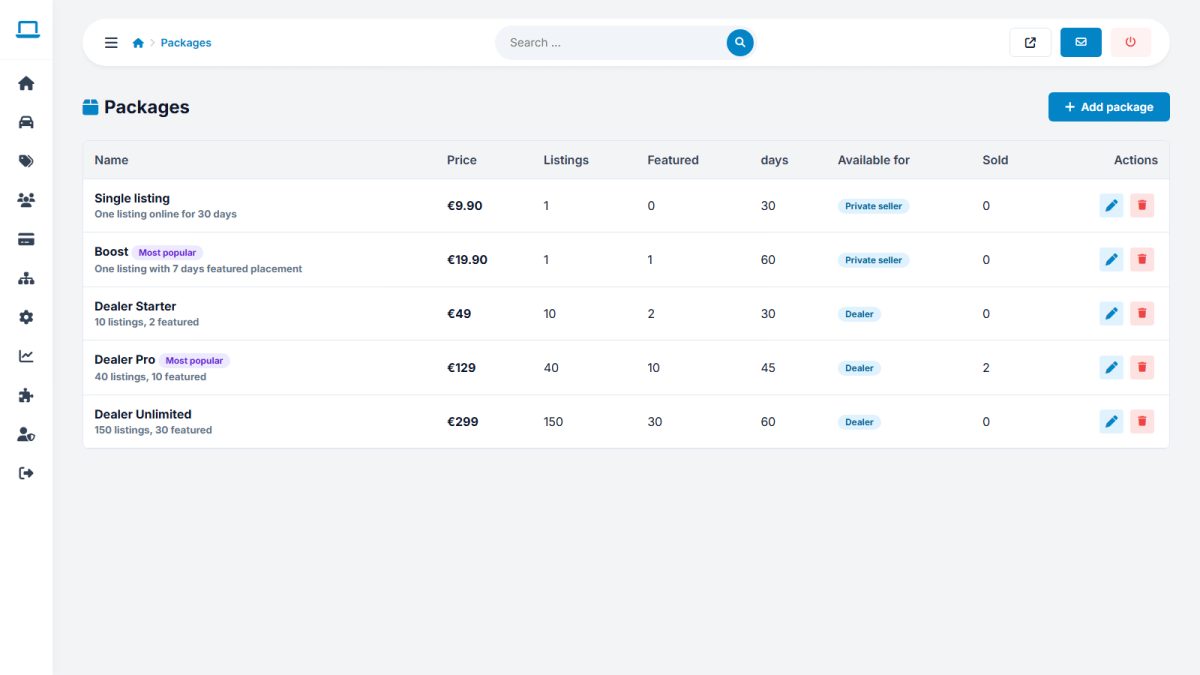
| Field | Description |
|---|---|
| Name & description | Shown on the Sell page and at checkout |
| Price | In the payment currency (see Payment settings) |
| Listing credits | How many cars the seller can publish |
| Featured credits | How many cars can be featured |
| Listing days | How long each listing stays online |
| Max photos | Photos allowed per listing |
| Available for | Everyone, private sellers only, or dealers only |
| Popular | Highlights the package with a badge |
| Active / order | Show or hide the package and set its position |
Credits explained
Publishing a car uses one listing credit. When charging is turned on, new sellers first use their free listings (Free listings per user), then need credits. Credits do not expire; the listing days value controls how long each ad runs.
Offer one cheap entry package and one clearly better value bundle, and mark the bundle as Popular. Most sellers choose the highlighted option.
Last updated