SEO, social media and tracking
A car marketplace lives on search traffic. Car Portal has the essentials built in.
Admin › Settings › SEO & tracking
SEO-friendly URLs
- Make sure Apache
mod_rewriteis on and the.htaccessfile is in the main folder. - Tick Enable SEO URLs in General settings and save.
- Open a few pages; addresses now look like
/car/bmw-320d-2019-12instead ofindex.php?mod=details&id=12.
If every page shows a 404 after enabling, rewriting is not active on the server, turn the option off again and see Troubleshooting.
Meta titles and descriptions
Pages, news and FAQ have their own meta title and description (Pages). Car pages are generated from make, model, year and price. Default description and title suffix are in General settings.
XML sitemap
Car Portal generates /sitemap.xml with pages, news, dealers and active cars. Submit it in Google Search Console to speed up indexing.
Structured data
Car pages output schema.org markup, and dealer pages output ratings, so search engines can show rich results.
Tracking codes
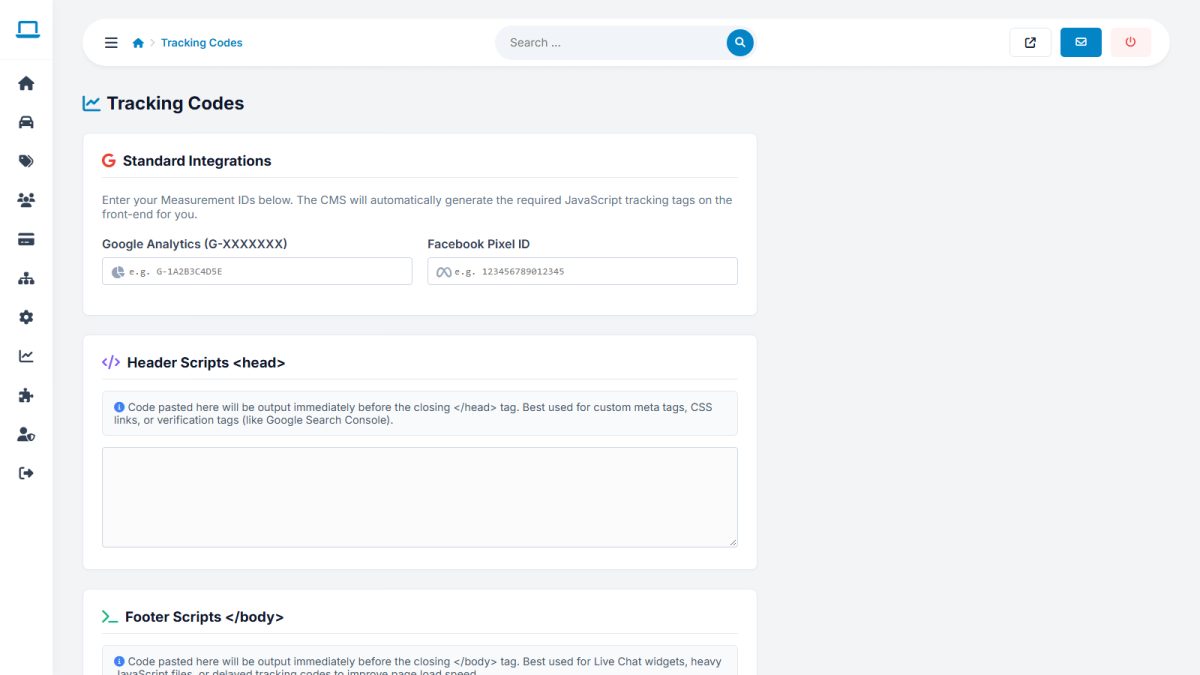
| Field | Use |
|---|---|
| Google Analytics ID | Your measurement ID, e.g. G-XXXXXXXXXX |
| Facebook Pixel ID | For ad campaigns |
| Custom head scripts | Code to insert before </head> (verification tags, other tools) |
| Custom body scripts | Code to insert before </body> (chat widgets) |
Social media links
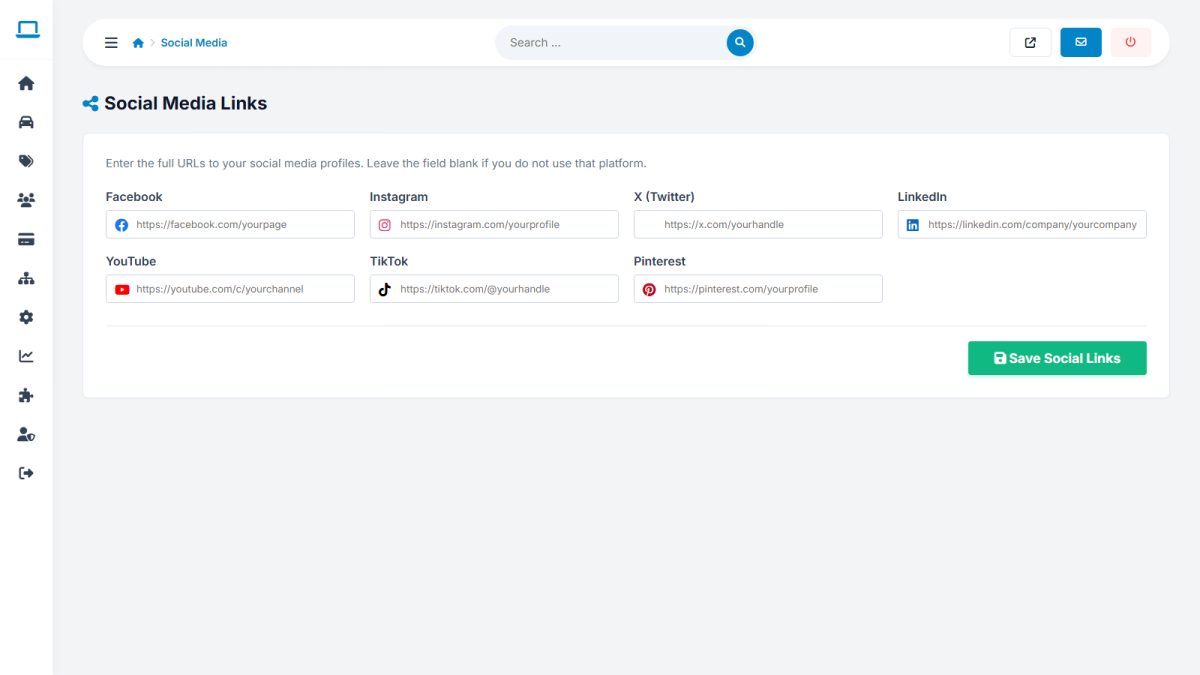
In Settings › Social media enter your profile addresses for Facebook, X/Twitter, Instagram, LinkedIn, YouTube, TikTok and Pinterest. They appear as icons in the footer.
Last updated