The home page
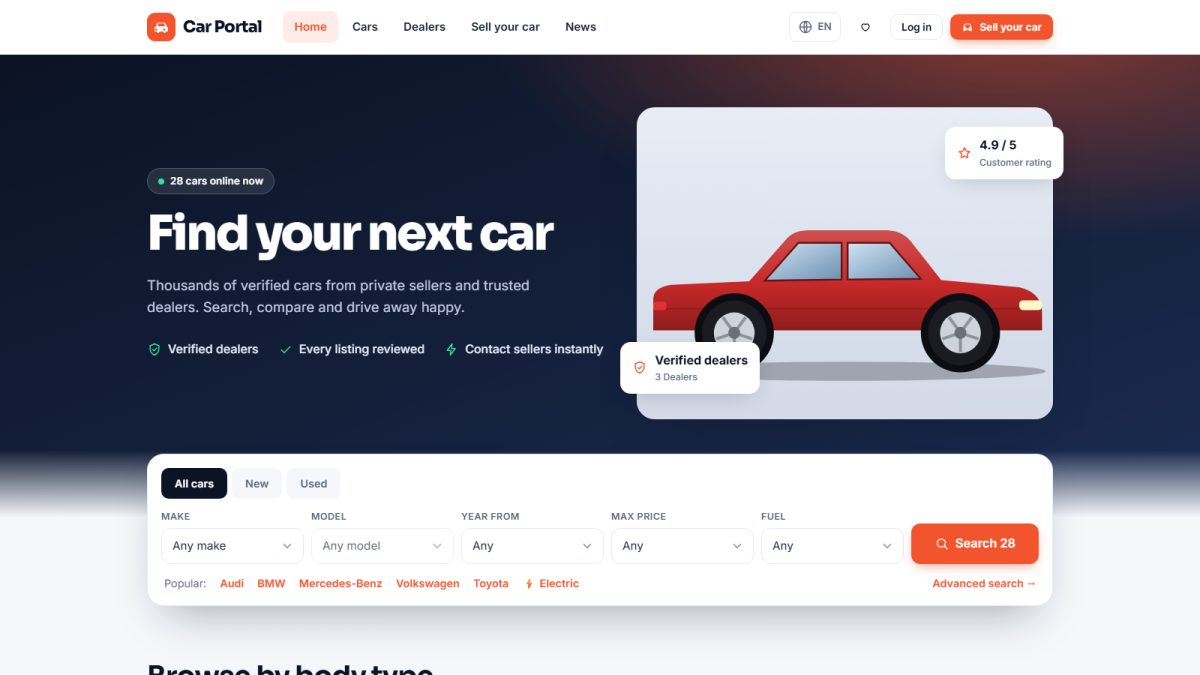
The home page is the shop window of your marketplace. It lets visitors start a search immediately and shows your best cars.
Hero search
The large search box at the top lets visitors choose make, model, maximum price and more. The model list updates automatically when a make is picked, so it only offers models that exist. Pressing Search opens the results page with the chosen filters already applied.
Featured and latest cars
Below the hero visitors see two blocks of car cards:
- Featured cars – listings marked as featured by an admin or paid for by the seller. They get the best position.
- Latest cars – the newest active listings.
Each card shows the main photo, title, price, year, mileage, fuel, gearbox and location, with a heart button to save it as a favourite.
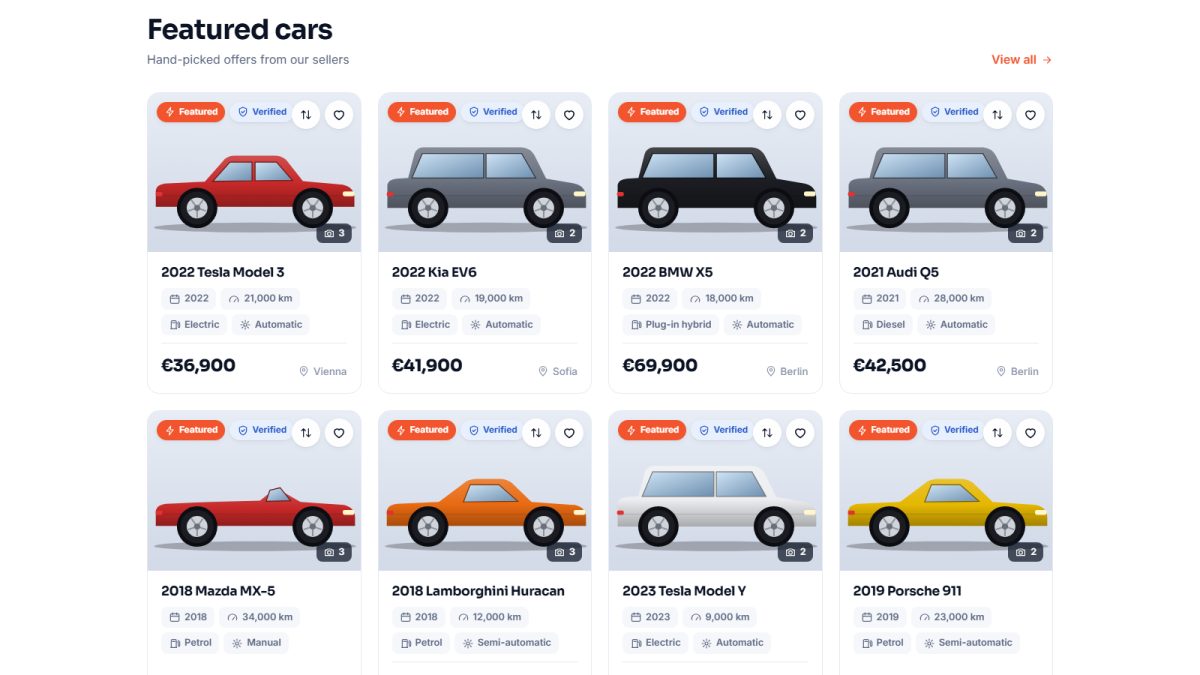
How many cars appear is set in Settings › Configuration options › Listings: Featured cars on home page and Latest cars on home page. See Listing settings.
Quick search by body type and make
Icons for popular body types (SUV, sedan, hatchback...) and top makes give one-click access to filtered results. They are built from your vehicle catalog.
Dealers, news and call to action
Further down the page you will find top dealers, the latest news, trust points and a call to action inviting visitors to sell their car. The home page title and subtitle are editable in the general settings.
Header and footer
The header holds the logo, menu, language switcher, favourites and compare counters and the login or account link. The footer has links to pages, dealers, news, FAQ and contact, the newsletter box and social icons (social media settings).
Last updated