Payment history and invoices
Dealers and businesses need proper invoices. Car Portal creates them automatically.
Seller panel › Billing › Payment history
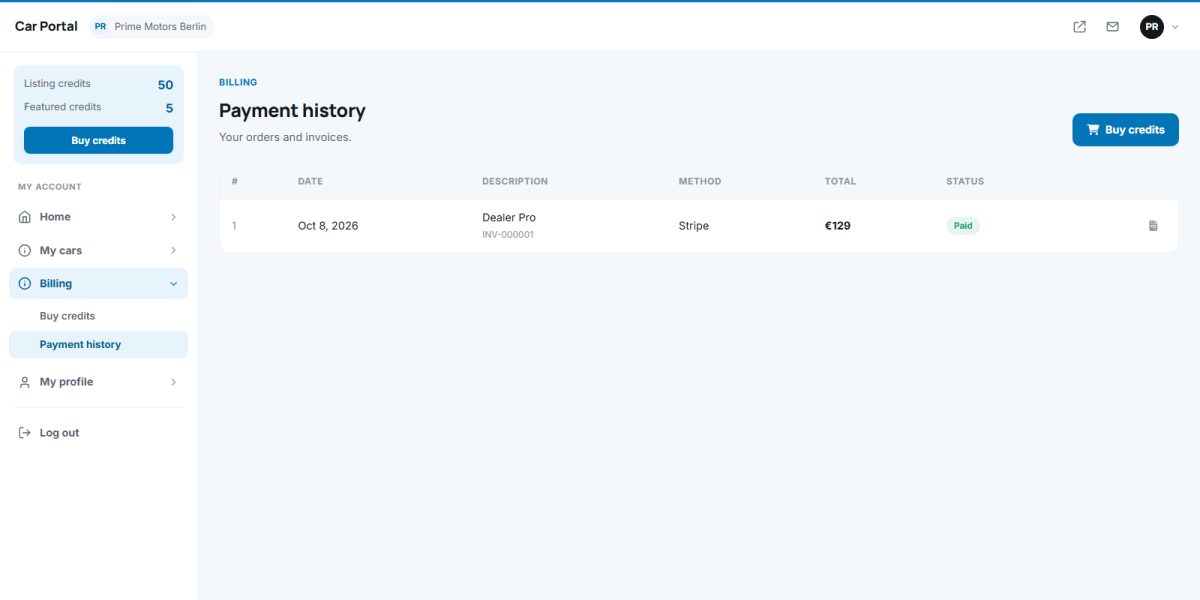
Payment history
The table lists each order with date, description, provider, amount, discount, tax and status (pending, paid, failed, cancelled, refunded).
Invoices
Paid orders get a sequential invoice number built from your prefix (for example CP-000123). The invoice shows your company name, address and VAT ID, the buyer’s details, the items, tax and total. Sellers open it from the history and print it or save it as PDF using the browser.
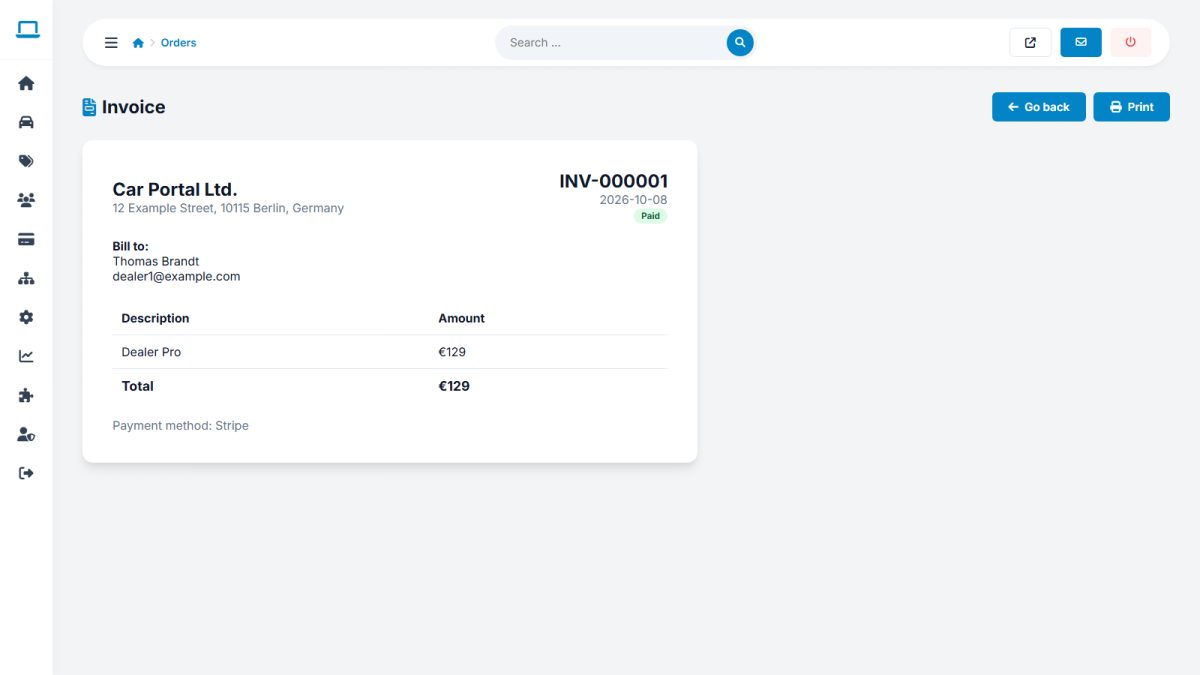
Your company details on invoices come from Payments › Payment settings › Invoice details, see Payment settings.
Last updated