How to install Car Portal
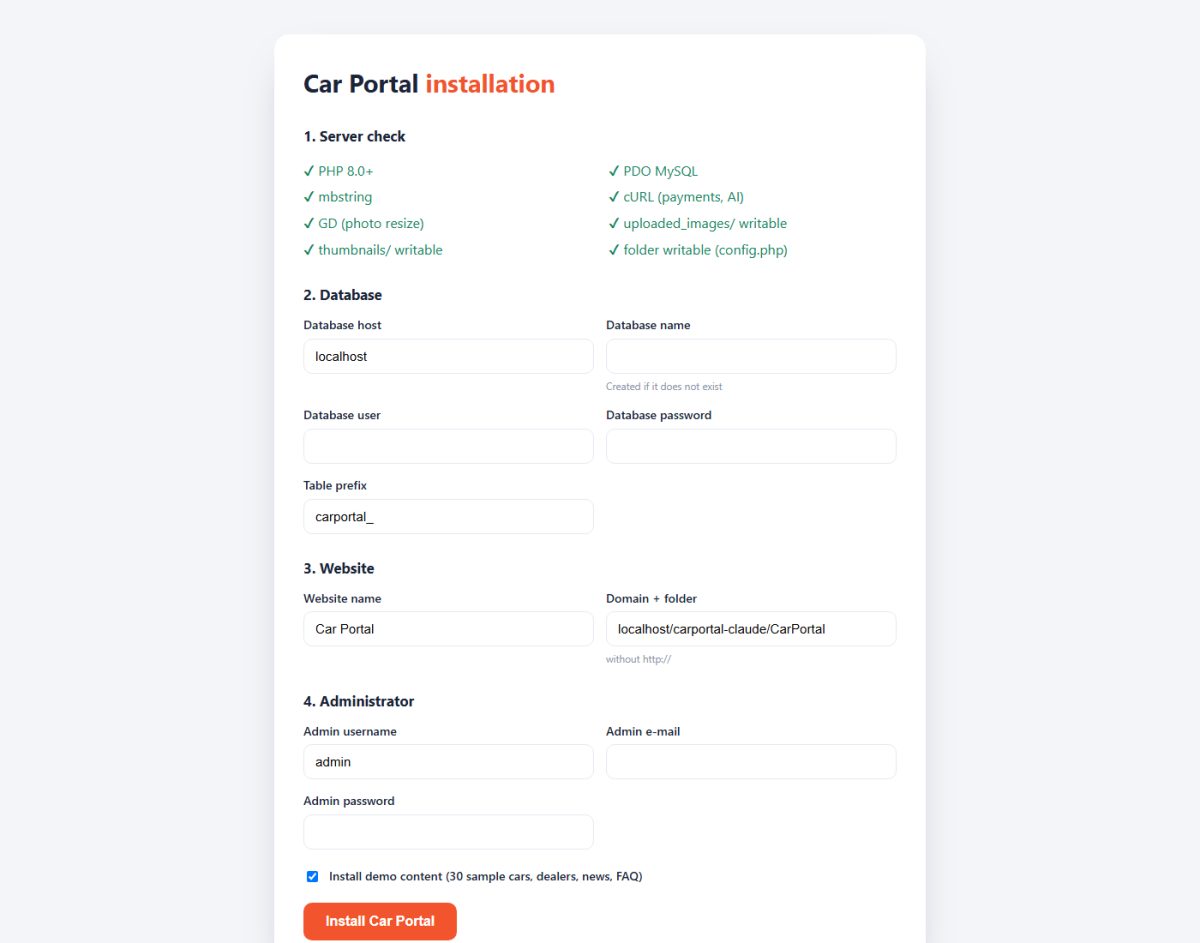
The built-in installer creates the database tables, the configuration file and your administrator account. You only need an empty MySQL database.
Before you start
- Check the system requirements.
- Create an empty MySQL/MariaDB database and a database user (your hosting control panel can do this).
- Note the database host (usually
localhost), name, user and password.
Install with the web installer
- Upload the files. Unzip Car Portal and upload everything to your web folder (for example
public_html), or to a sub-folder if you want the site in/cars/. - Open the installer. Go to
https://your-site/install/in your browser. The installer first checks PHP version, extensions and folder permissions. - Enter the database details. Type the host, database name, user, password and table prefix (the default
carportal_is fine). - Name your website. Enter the website name, contact e-mail and default language.
- Create the administrator. Choose a username, e-mail and a strong password. This is your login for the admin panel.
- Choose demo content. Select Yes to start with sample cars, dealers, news and FAQ so you can see the site working immediately, or No for a clean empty site. You can delete demo data later.
- Finish. The installer imports the database and writes
config.php. Open the website and the admin panel to confirm.
Delete the /install folder when the installation is finished. Leaving it on a live server is a security risk.
Manual installation (no installer)
If you prefer to install by hand:
- Copy
config.sample.phptoconfig.phpand fill in the database host, name, user, password and prefix. - Import
sql/schema.sql, thensql/base.sql, and optionallysql/demo.sql, with phpMyAdmin or themysqlcommand line. - Insert your administrator into the
carportal_admin_userstable. Store the password with PHP’spassword_hash(), never as plain text.
Installing in a sub-folder or on a sub-domain
Both work. The installer detects the folder automatically. If you enable SEO-friendly URLs afterwards, make sure the .htaccess file is uploaded together with the other files (it is a hidden file in some FTP programs).
Last updated