Compare cars side by side
Comparing cars helps buyers reach a decision, and keeps them on your site instead of opening ten other tabs.
Adding cars to compare
Every car card and car page has a Compare button. As soon as one car is added, a floating compare bar appears at the bottom of the screen showing the selected cars (up to four). Click Compare in the bar to open the comparison.
The comparison table
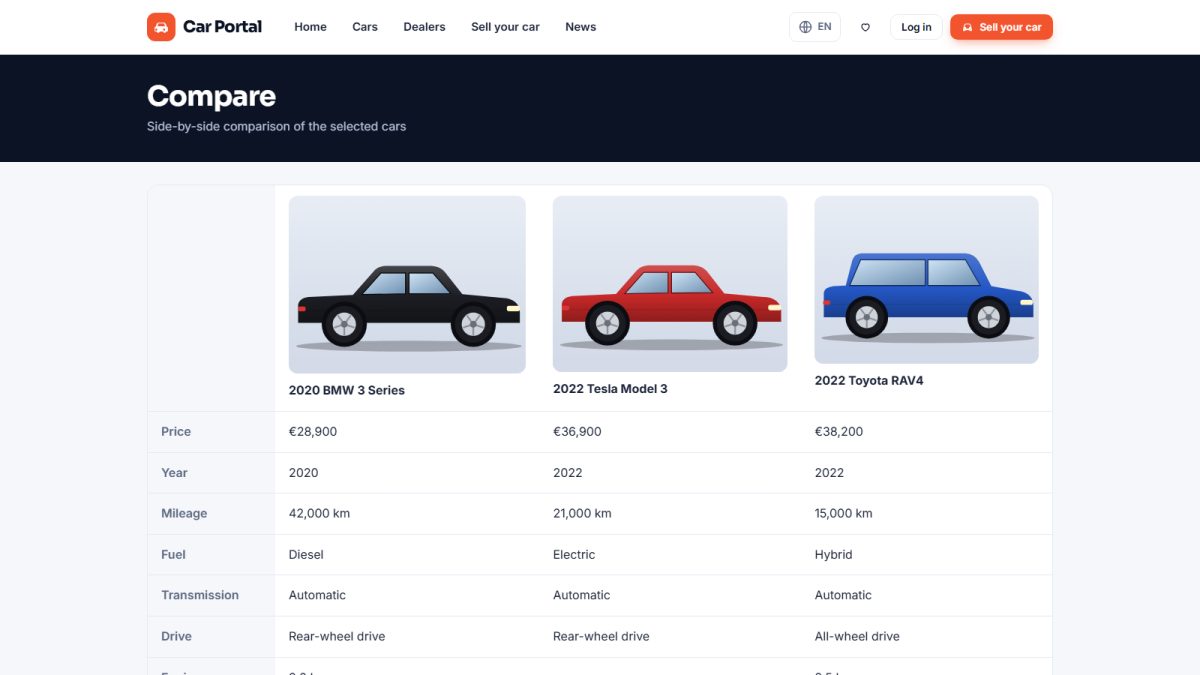
Selected cars are shown in columns with their photo and price. Rows cover year, mileage, fuel, gearbox, power, drive, colour and all equipment. Differences are easy to spot at a glance. Cars can be removed with the × button.
Guests and logged-in users
The selection is stored in a cookie, so it works without an account.
Turning it off
If you do not want the feature, disable Enable compare in Listing settings; the buttons and the bar disappear.
Last updated