Languages and translations
Translate the site yourself, with no files to edit.
Language versions
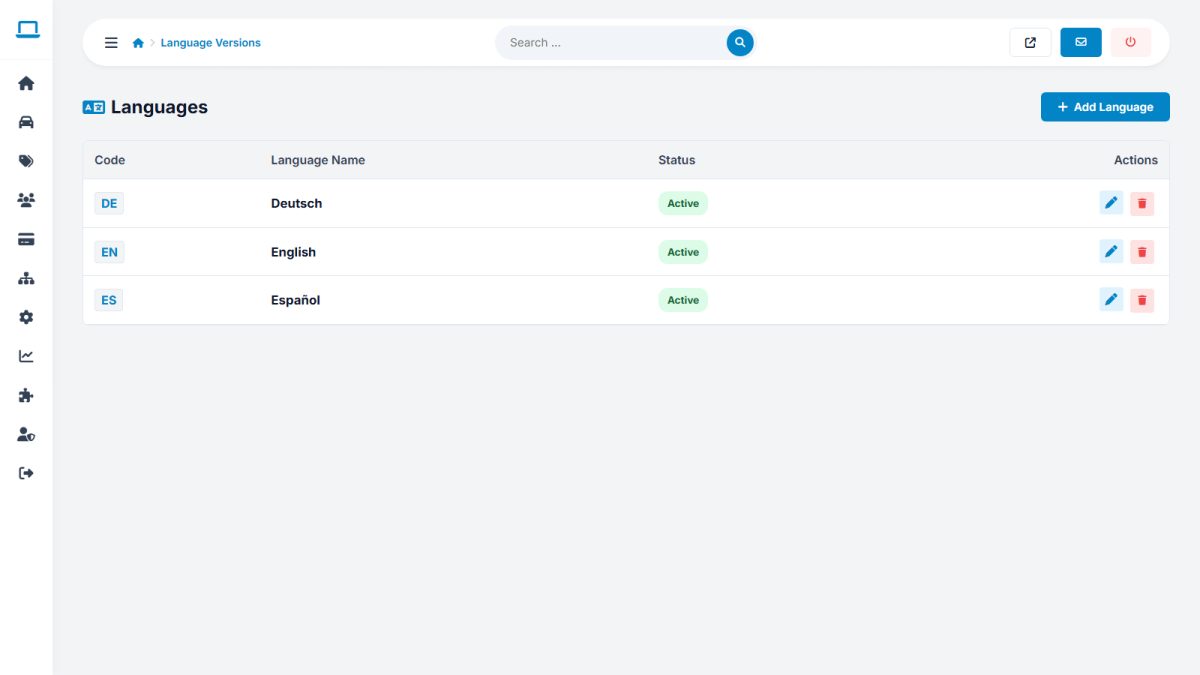
Settings › Language versions lists the installed languages (English, Spanish and German are included). Add a new one by entering its code (for example fr) and name; Car Portal copies the English texts as a starting point. You can activate, deactivate and set the default language.
Interface texts editor
Website › Interface texts shows every text key beside its translation. Choose the language, search for a word, change the text and save.
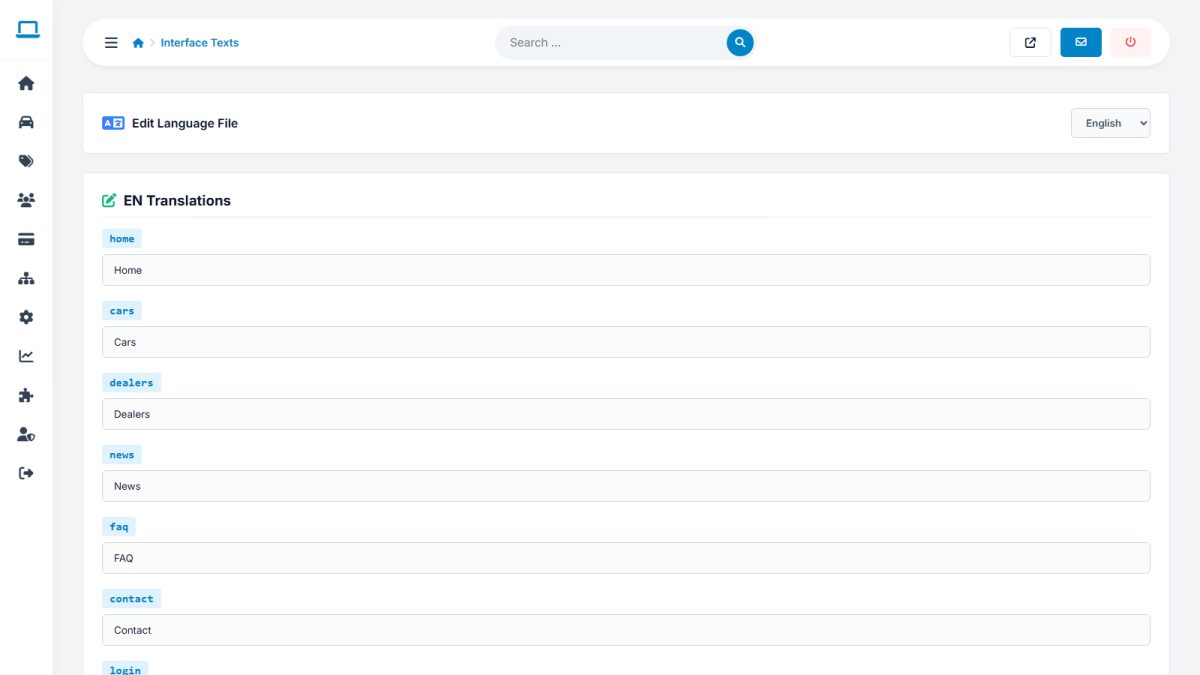
This is also the quickest way to change wording in English, for example to rename “Sellers” to “Members”.
Fallback to English
If a translation is empty, the English text is used, so the site never shows blank labels or raw keys.
Translating content
- Pages, news and FAQ: use the language tabs in each editor.
- Catalog items (body types, equipment): translate in the catalog.
For developers: texts live in languages/xx.php (website and seller panel) and ADMIN/xx.php (admin), see Developer guide.
Last updated