General settings
The settings page is organised in tabs. This page covers the General and GDPR tabs.
Admin › Settings › Configuration options › General
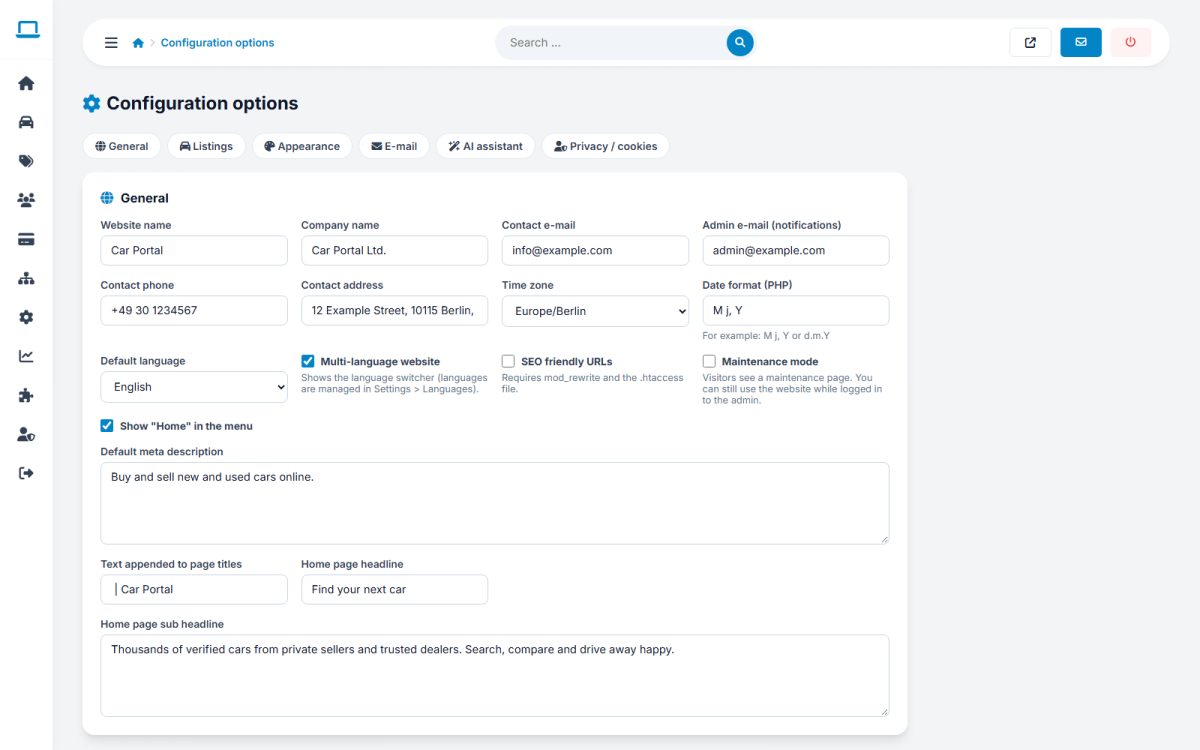
General tab
| Setting | What it does |
|---|---|
| Website logo text | Text shown beside or instead of the logo image |
| Company name | Used in e-mails, footer and legal text |
| Contact e-mail | Shown on the contact page and used as reply address |
| Admin e-mail (notifications) | Receives contact messages and system notices |
| Phone & address | Displayed on the contact page and footer |
| Time zone & date format | For dates on the site and in e-mails |
| Default language | Language shown to new visitors |
| Multi-language | Shows the language switcher (needs more than one active language) |
| Enable SEO URLs | Readable addresses such as /cars/bmw-3-series; needs mod_rewrite and the .htaccess file. See SEO |
| Maintenance mode | Visitors see a maintenance notice; admins can still work. Use during updates |
| Show home link | Adds “Home” to the main menu |
| Default meta description | Used when a page has no description of its own |
| Title suffix | Text appended to every page title, usually your brand |
| Home title & subtitle | Headline and sub-headline of the home page hero |
GDPR / cookie banner
Enable the cookie banner and edit its text. The banner remembers the visitor’s choice. Link it to your cookie policy page.
Cookie law differs by country. Check what your site, tracking codes and ad networks require and adapt the text with your legal adviser.
Click Save at the bottom of the page: all tabs are saved together.
Last updated