Search results, sorting and saved search alerts
Beyond the filters, the results page lets buyers change the view, sort the cars and ask Car Portal to watch for new matches.
Grid and list view
A switch above the results toggles between grid (photo-focused cards) and list (more details per row). The choice is remembered in the browser.
Sorting
Results can be sorted by newest, price (low to high or high to low), year, or mileage. Featured listings keep a prominent position.
Pagination
The number of cars per page is set in Settings › Listings › Results per page.
Save a search and get alerts
When a buyer is logged in, a Save this search button appears. Car Portal stores the filters and e-mails the buyer when new cars matching them are published.
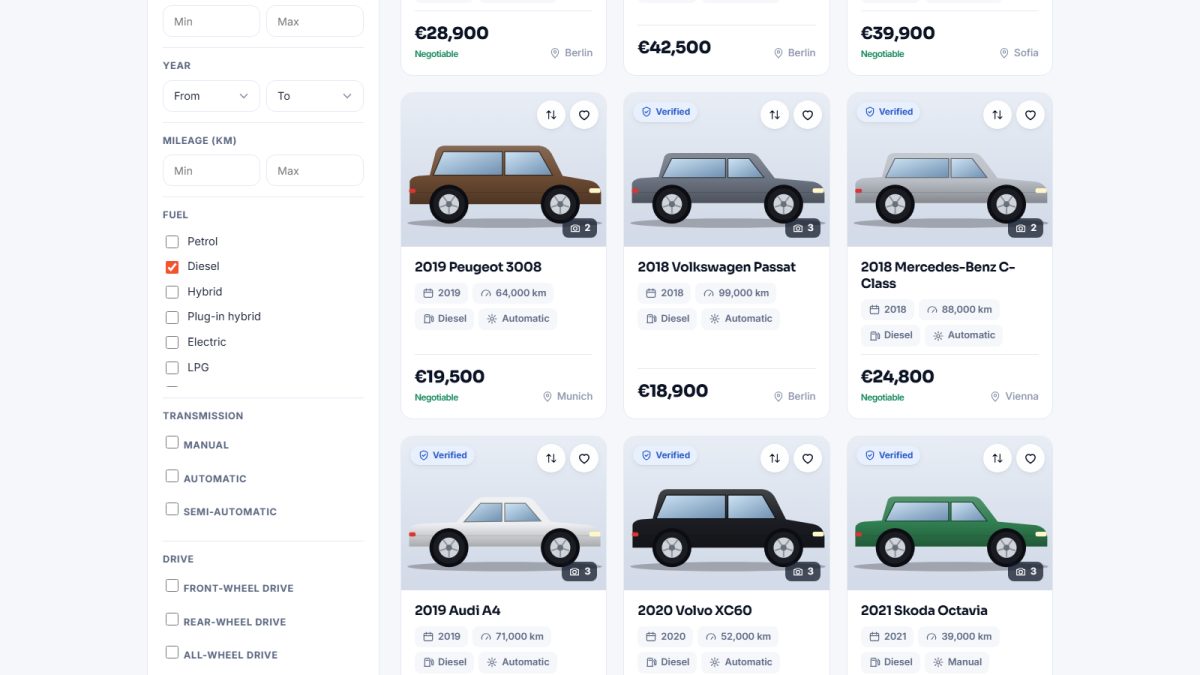
- Apply filters until the list looks right.
- Click Save this search and give it a name.
- Manage saved searches later in the panel under Dashboard › Saved searches (see seller dashboard).
Alerts are sent by the daily cron job. Without cron, saved searches are stored but no e-mails are sent.
Recently viewed
Cars a visitor has opened recently are remembered in a cookie and shown again on the car page, which brings buyers back to cars they liked.
Last updated