Charging modes: monthly fee, commission or split payments
The way your marketplace earns money is one setting: Payments → Payment settings → Charging mode. You can change it whenever your business model changes.
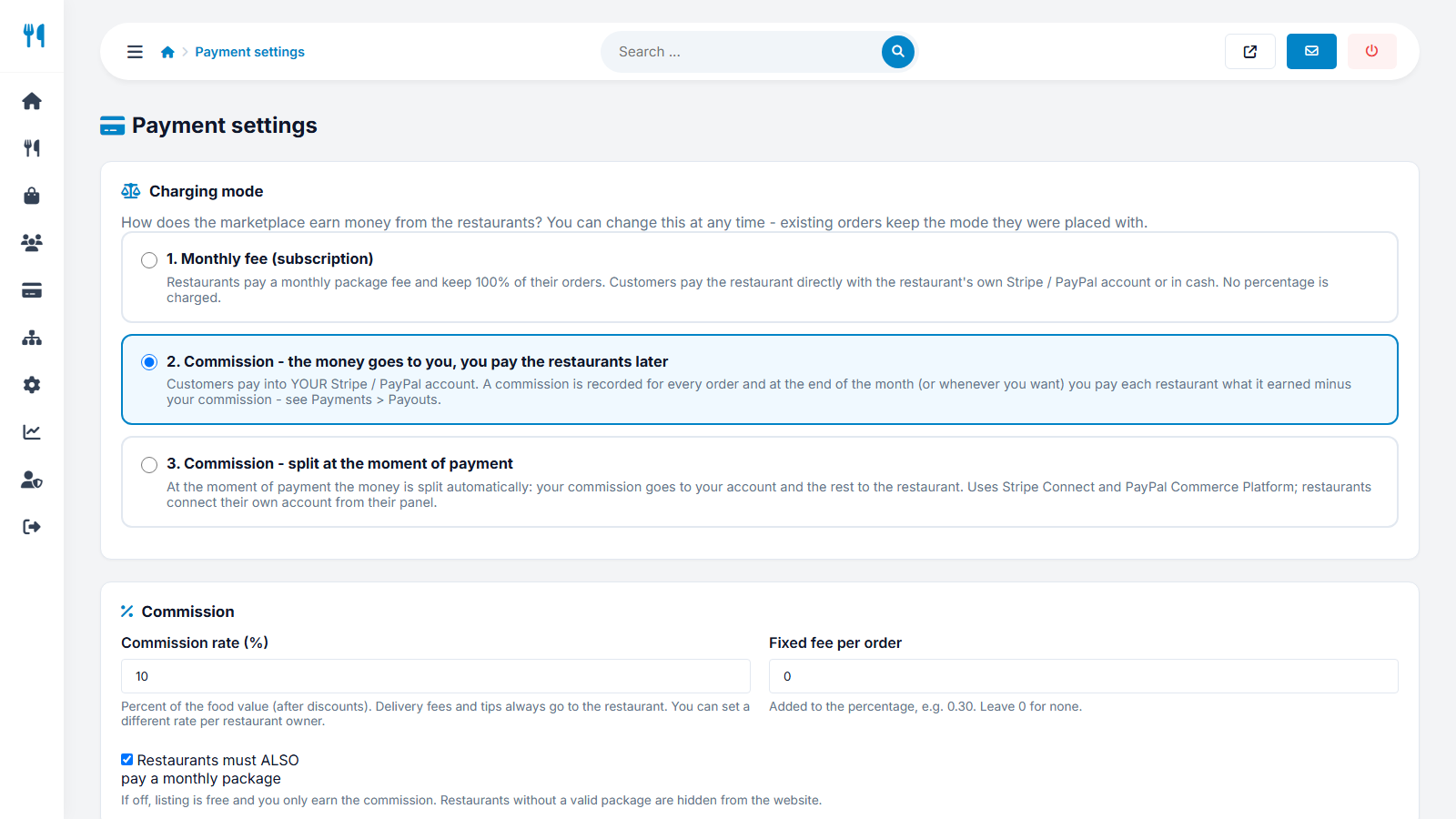
The three modes
| 1 - Monthly fee | 2 - Commission, paid later | 3 - Split at payment | |
|---|---|---|---|
| Who receives the customer's money | The restaurant, directly | You, into your Stripe / PayPal account | Split instantly: commission to you, the rest to the restaurant |
| What the restaurant pays | A monthly plan, no percentage | A commission on each order | A commission on each order |
| Payout work for you | None | You pay restaurants later (Payouts) | None - automatic |
| Restaurant needs | Own Stripe / PayPal keys (or cash only) | Payout details (IBAN / PayPal) | A connected Stripe account (and PayPal Merchant ID) |
| Best for | Predictable income, directory style sites | Delivery-app model with full control of the money | Hands-off marketplaces |
Commission settings
- Commission rate (%) - percent of the food value after discounts. Delivery fees and tips always belong to the restaurant.
- Fixed fee per order - added to the percentage, for example 0.30.
- An individual rate per owner can be set in Users → Restaurant owners.
Example (mode 2): a 40.00 basket with a 10% commission and a 0.30 fixed fee gives you a commission of 4.30 and the restaurant 35.70 of the food value, plus delivery fee and tip.
Combine commission with a monthly plan
In modes 2 and 3 the option Restaurants must ALSO pay a monthly package keeps subscriptions. If it is off, listing is free and you earn only commission; restaurants without a valid package are hidden only when plans are required.
Cash orders
Cash is paid to the restaurant directly. In modes 2 and 3 the commission of those orders is still due to you: it is subtracted from the next payout (mode 2) or shown as a balance the restaurant owes (mode 3).
Changing the mode safely
Every order stores the mode, rate and amounts it was placed with. Changing the mode affects only new orders, so reports and payouts of old orders stay correct.
Not sure which one to choose? Start with mode 1 and a free trial to attract restaurants, then move to mode 2 or 3 when you have enough order volume.
Last updated