AI search: find food by describing it
Next to the normal search the home page has a purple Ask AI bar. Visitors write what they feel like in everyday language and the script converts it into the right filters - cuisine, price, delivery or pickup, vegan or vegetarian and more.
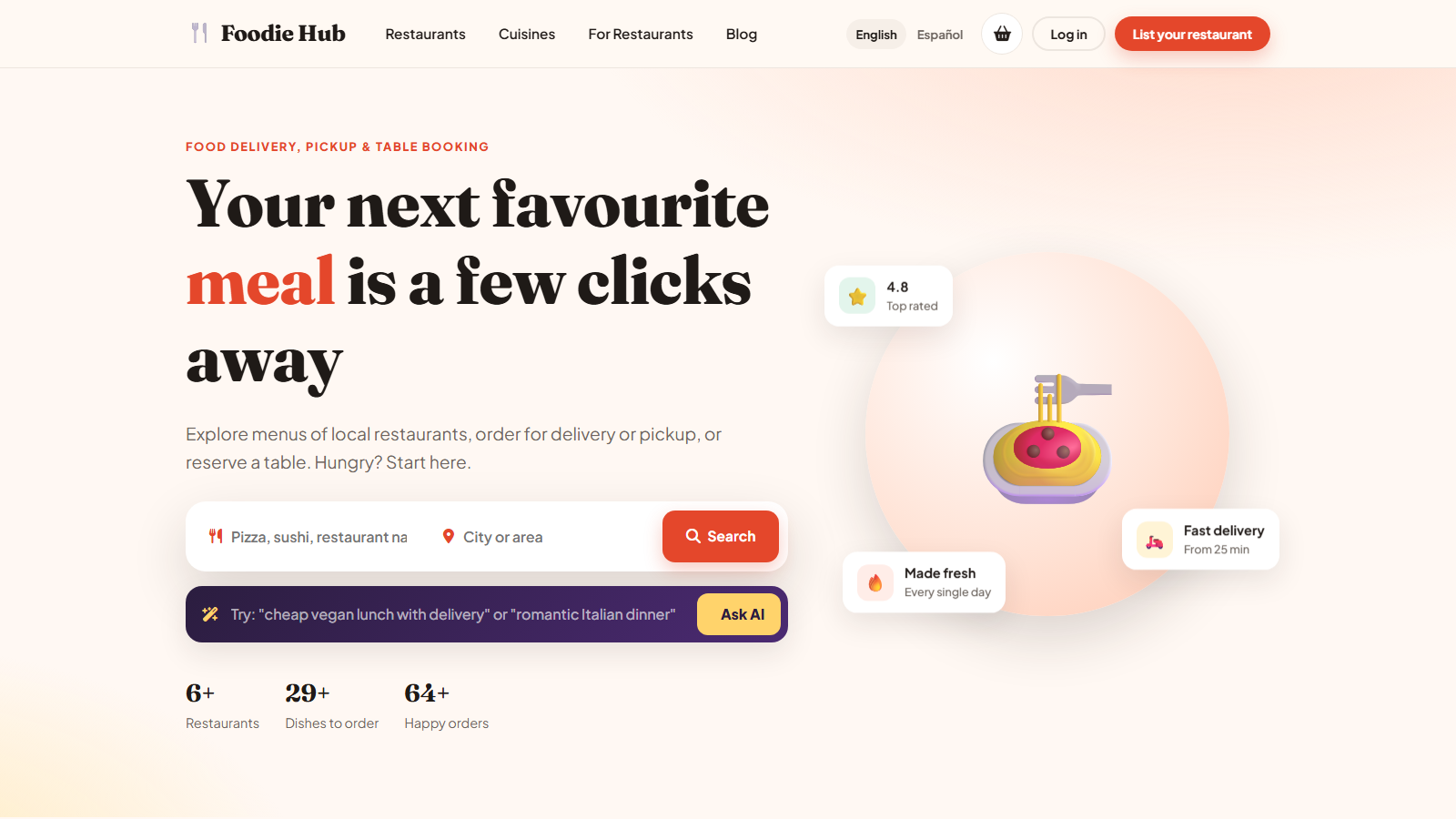
Example questions
- "cheap vegan lunch with delivery"
- "romantic Italian dinner"
- "best rated sushi near me for pickup"
- "spicy food that is open now"
How it works
- The visitor types a sentence and presses Ask AI.
- The text is sent to the AI provider you configured, together with the list of your cuisines and locations.
- The AI answers with structured filters, and the visitor lands on the normal search results page with those filters applied.
The AI never invents restaurants: it only chooses filters, so every result is a real restaurant from your database.
No AI key? It still works
If AI search is switched off or the provider is unavailable, the script falls back to a built-in keyword matcher that recognises cuisines, words such as vegan, cheap, delivery and pickup. The search box never shows an error to the visitor.
Turn it on or off
In the admin panel open Settings → Artificial intelligence, enter your API key and use the AI search on the front end switch. Requests are rate limited per visitor to protect your budget.
Groq, DeepSeek and ChatGPT use the same OpenAI-compatible interface, so you can switch providers at any time without changing anything else.
Last updated