Import a menu with AI
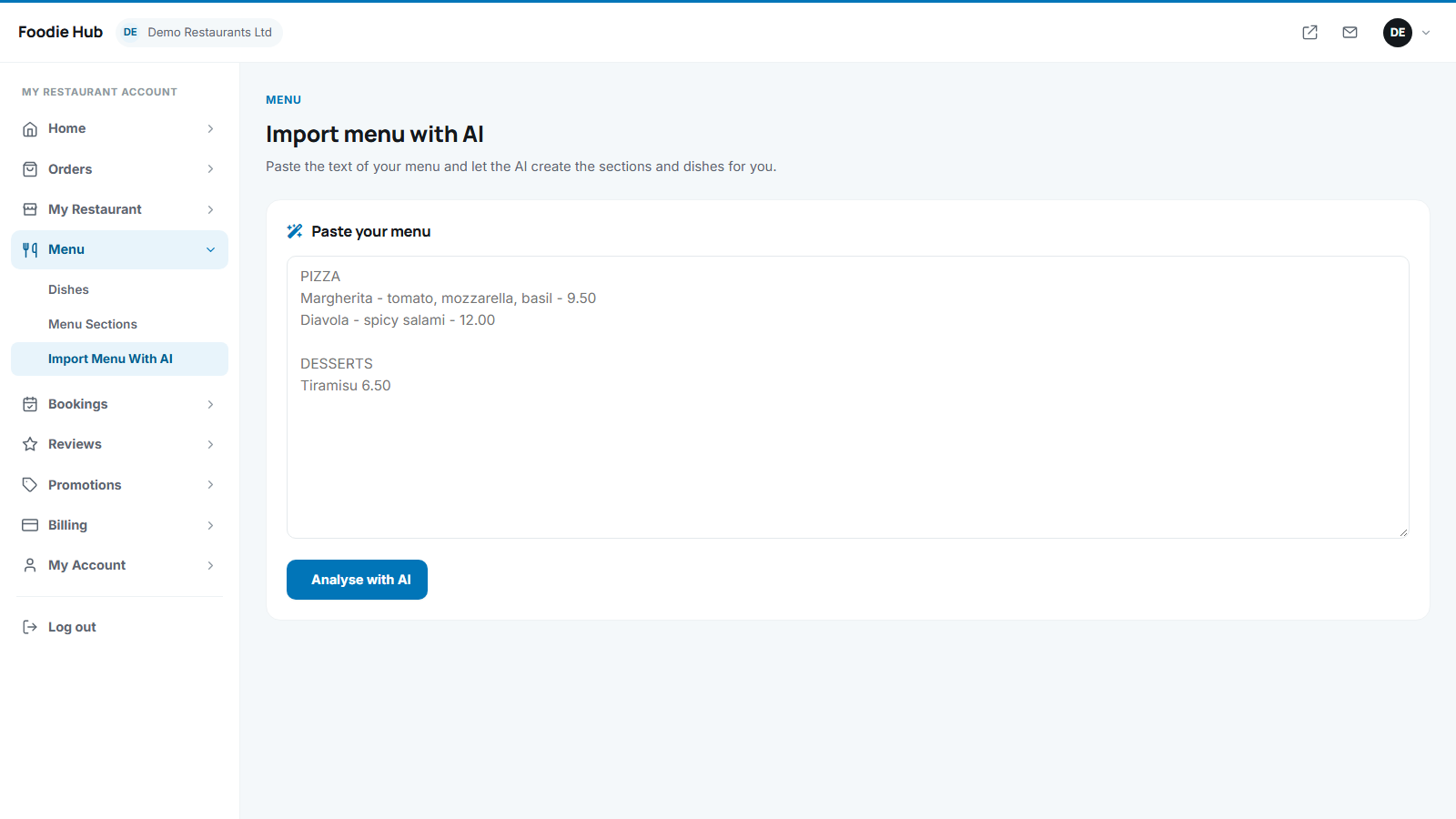
Typing a 60-dish menu takes hours. With Menu → Import menu with AI a restaurant pastes its menu text - from a PDF, a Word file or a website - and the AI turns it into sections and dishes.
How to use it
- Copy the text of the menu and paste it into the large box. Any reasonable layout works - section titles in capitals, dish names, short descriptions and prices.
- Press Analyse with AI. After a few seconds a preview lists every section and dish found, with name, description and price.
- Check the preview. Fix anything that looks wrong - nothing is saved yet.
- Press Add these dishes to my menu. The message "X dishes were added to your menu" confirms it.
Good to know
- Existing dishes are not deleted - imported dishes are added next to them.
- Plan limits on the number of dishes are respected.
- Options and extras are not guessed; add them afterwards in the dish editor.
- The feature needs AI to be switched on in the admin panel (Menu dish descriptions and menu import in AI settings). Without it the menu shows a notice instead.
The AI reads only the text the owner pastes. Always double-check prices before publishing.
Last updated