Restaurant profile, hours and photos
The profile in My restaurant → Restaurant profile controls everything visitors see on the restaurant page.
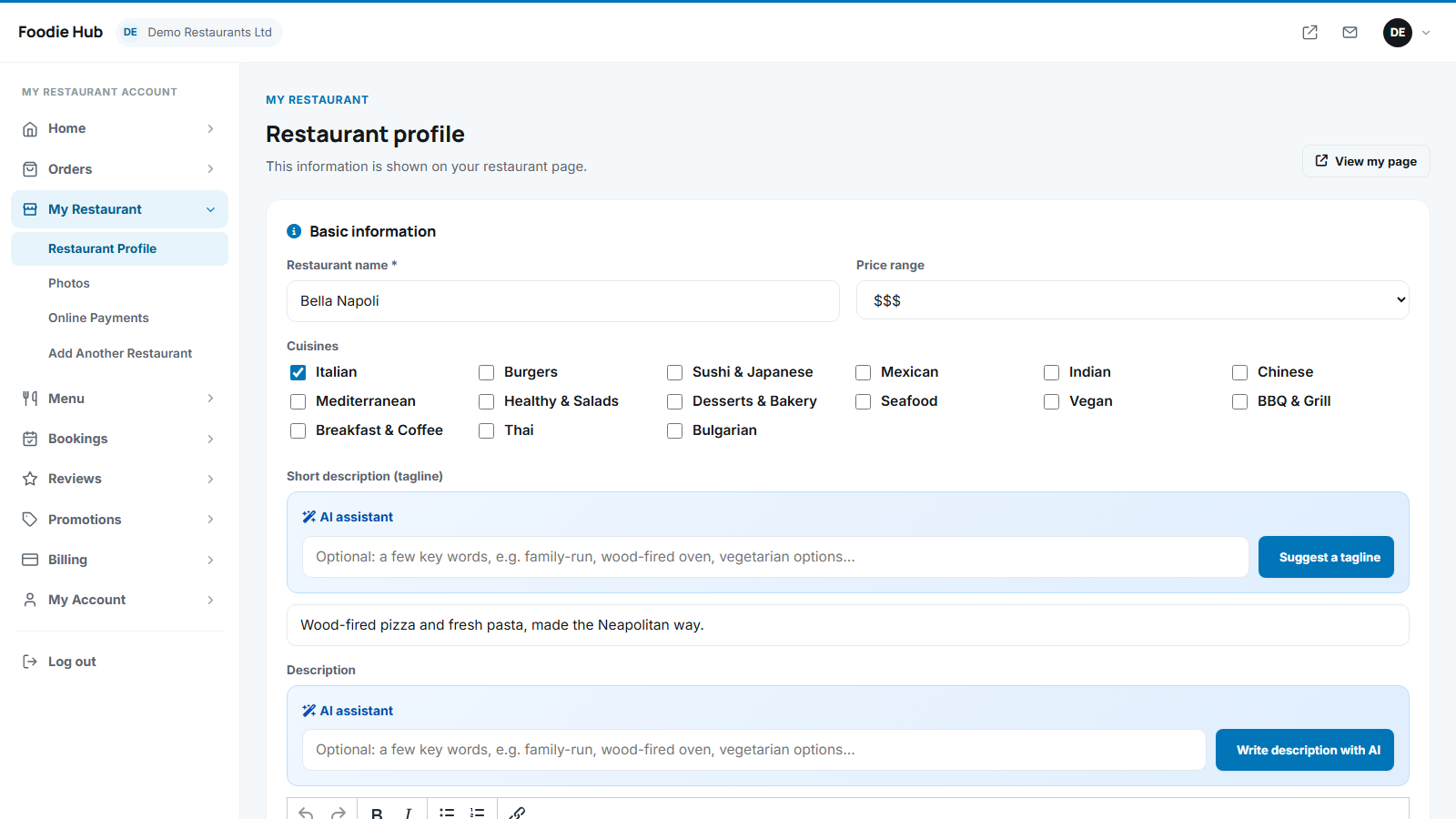
Basic information
- Name and the short description (tagline) shown on the cards in search results.
- Price range from $ to $$$$.
- Cuisines - tick one or more.
- Description - formatted text with an editor.
Write the description with AI
Above the editor there is a blue AI assistant box. Optionally type a few key words ("family-run, wood-fired oven, vegetarian options") and press Generate with AI. A complete description appears in the editor - read it, edit it and save. The same box can suggest a tagline. The buttons appear only when the administrator has enabled AI (AI settings).
Contact and location
Address, city, postal code, the location from your location list, phone, e-mail, website and optional latitude / longitude for the map link.
Ordering and delivery
| Option | Meaning |
|---|---|
| Accept online orders | Shows the basket and checkout on the restaurant page. |
| Accept table bookings | Shows the Book a table button. |
| Delivery / pickup | Which services the restaurant offers. |
| Delivery fee, free delivery over, minimum order | Money rules applied in the basket and checkout. |
| Delivery time, pickup time | Estimated minutes shown to customers. |
| Accept cash / accept online payments | Which payment methods customers can choose. |
Opening hours
Set opening and closing times for every weekday, or mark a day as closed. The Open now badge is calculated from these hours.
Logo, cover and gallery
Upload a square logo and a wide cover photo in the profile, and more pictures in My restaurant → Photos (select several files at once). Images are automatically resized and re-encoded for fast loading and safety.
A restaurant with a cover photo, a good description and complete opening hours gets noticeably more orders. The dashboard checklist reminds owners of these steps.
Last updated