Payouts and commissions
When you collect the customers' money (charging mode 2) you owe each restaurant its share. The script keeps that ledger for you.
Payouts
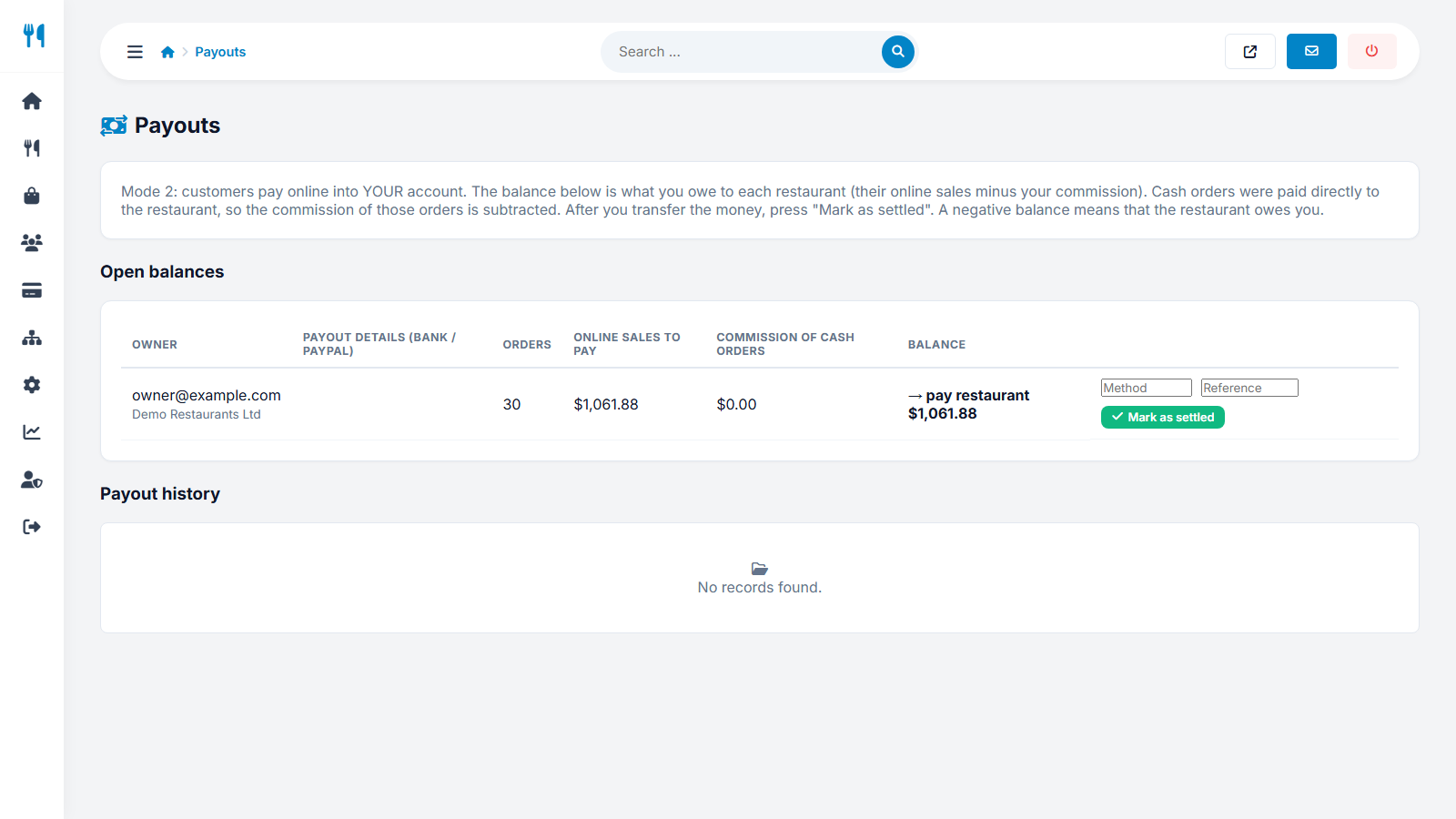
Payments → Payouts lists every owner with a balance. For each one you see the number of orders, the online sales to pay, the commission of cash orders and the resulting balance:
- Pay restaurant - the amount you must transfer.
- Restaurant owes you - a negative balance, when cash commissions are larger than the online sales.
- Transfer the amount by bank or PayPal, using the payout details shown in the list.
- Enter the method and a reference (optional) and press Mark as settled.
- The orders become Settled, a line is added to the payout history, and the owner sees it in the earnings page.
The same ledger works in mode 3. There, online money is already split, so only the commission of cash orders can remain open.
Commissions
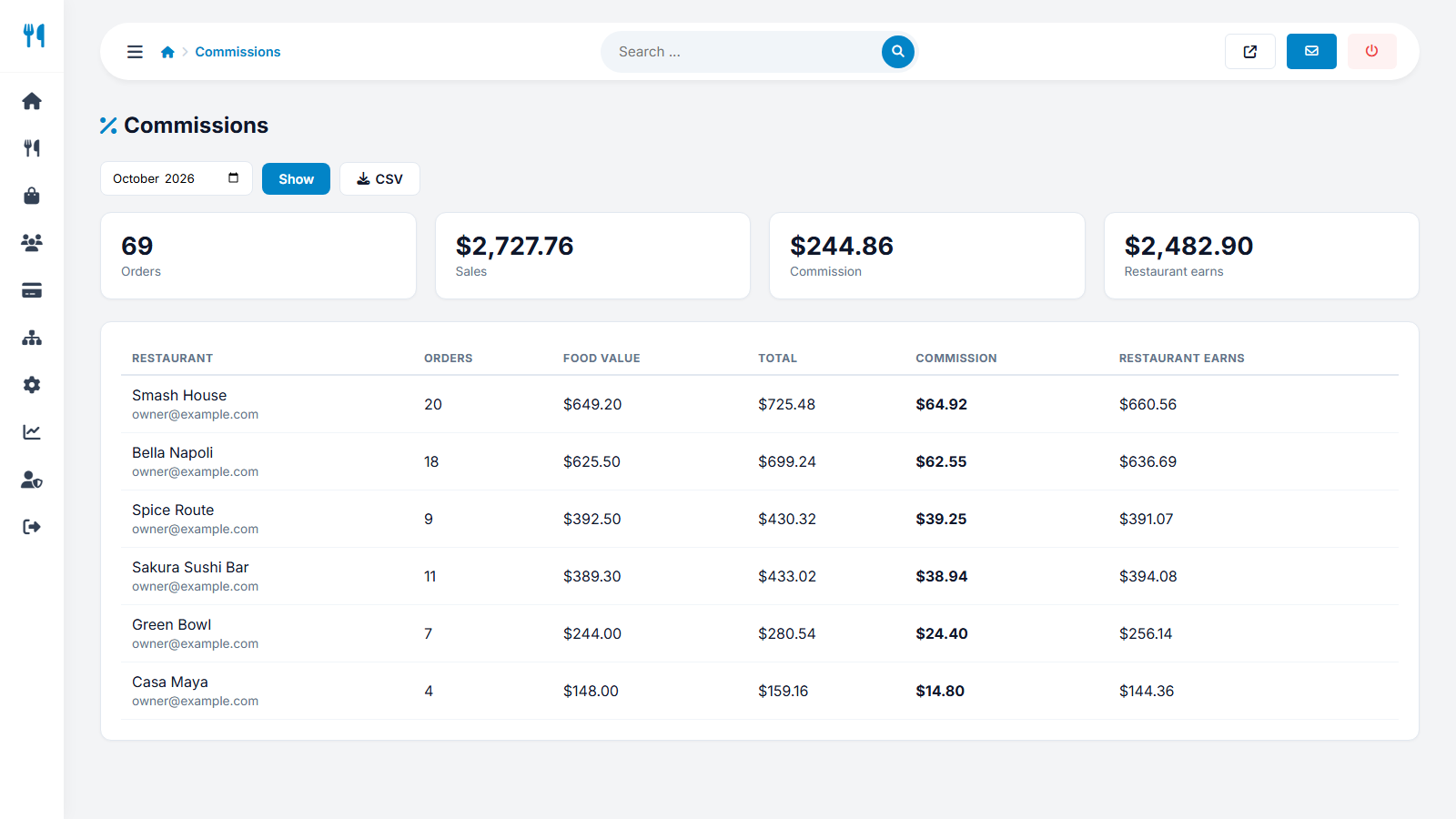
Payments → Commissions shows the commission your marketplace earned per restaurant: number of orders, sales and commission for the chosen period. Use it for your own accounting and to see which restaurants bring the most income.
Last updated