All orders of the marketplace
Orders → All orders shows every order placed on the marketplace.
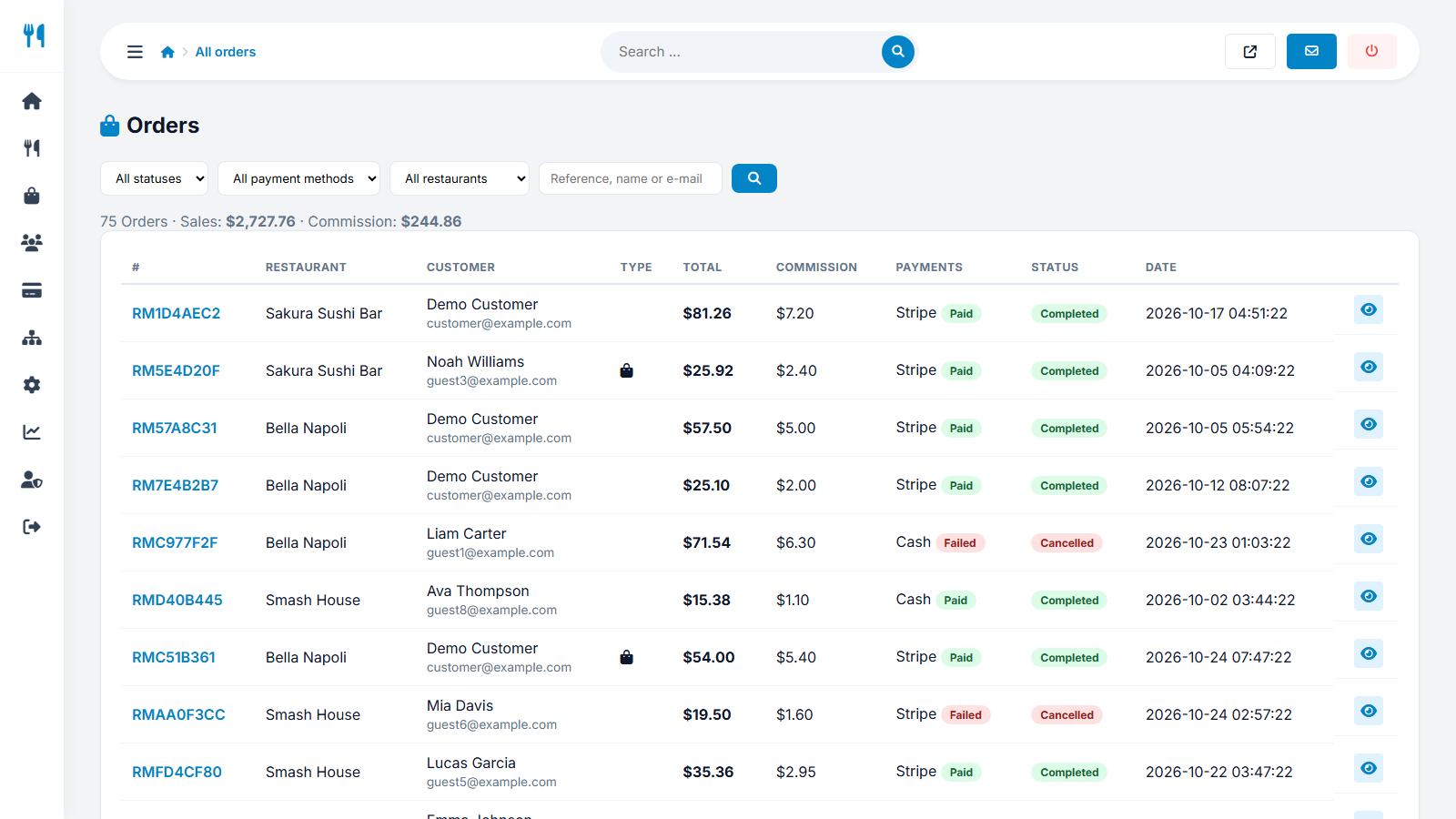
The list
Columns include reference, date, restaurant, customer, type (delivery or pickup), total, payment method and status, and the commission of the order. Filter the list by status; the totals above the list show the sales and the commission of the filtered orders.
Order details
Open an order to see all items with options, the delivery address, notes and the money split:
| Line | Meaning |
|---|---|
| Subtotal, discount, delivery fee, tip, total | What the customer paid. |
| Charging mode | The mode that was active when the order was placed. Changing the mode later never changes old orders. |
| Commission | Your commission: the percentage of the food value after discounts, plus the fixed fee. |
| Restaurant amount | What the restaurant earns. |
| Payout state | None, Pending or Settled - used by payouts. |
What you can do
- Change the order status if a restaurant forgets.
- Change the payment status (unpaid, paid, failed, refunded). Mark an order as refunded after you returned the money in Stripe or PayPal, so the commission is not counted.
Refunds of card payments are made in your Stripe or PayPal dashboard, not inside the script. Marking the order here keeps your reports correct.
Last updated