Admin users, groups and permissions
You do not have to share the main password. Create one account per team member and give each group only the permissions it needs.
Administrators
Admin users → Admin users lists everyone who can log in to /ADMIN/. Add a user with a username, e-mail, password and a group, and activate or deactivate accounts at any time. Every admin can change their own password in Home → Change password.
Groups and permissions
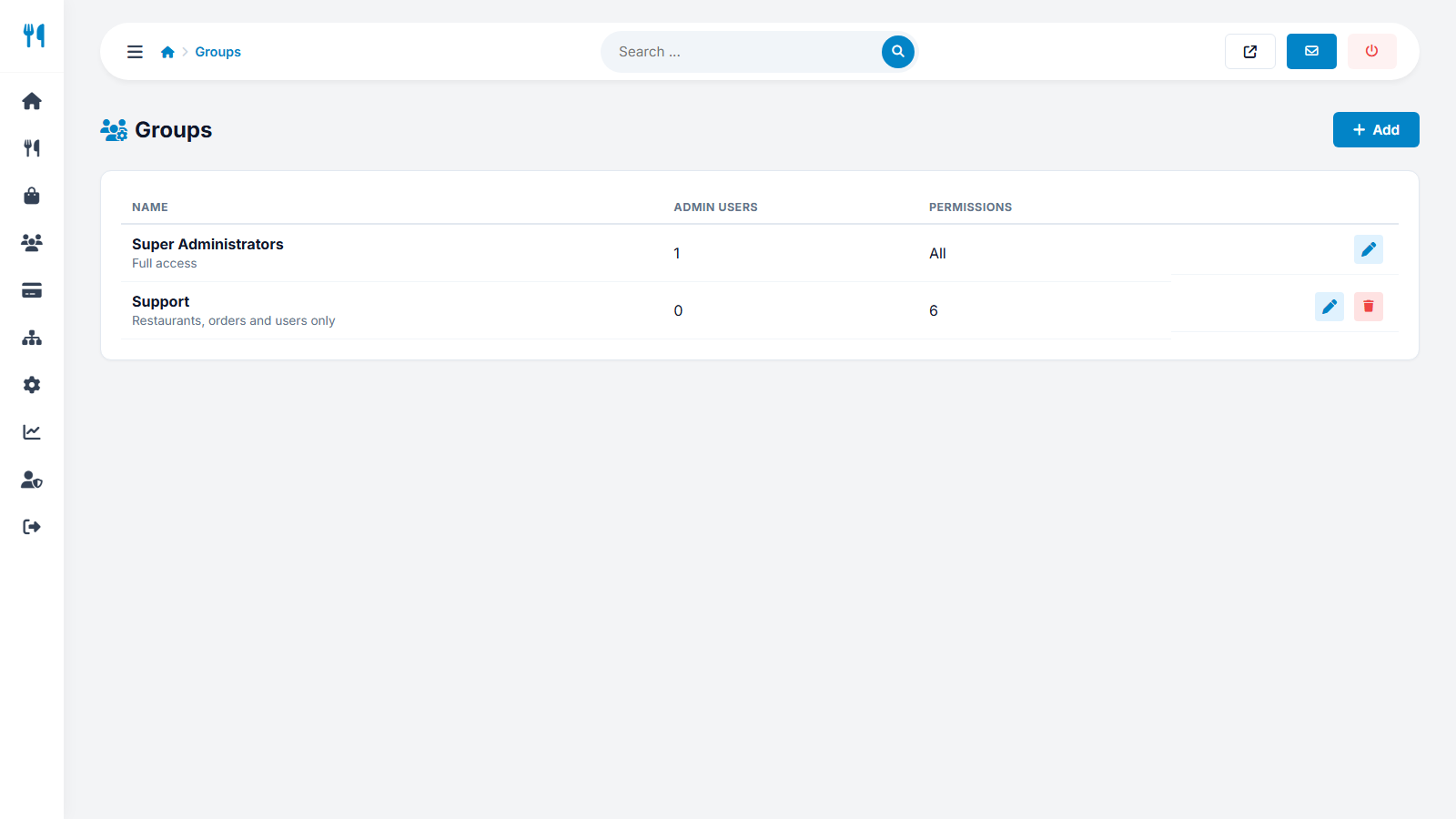
Admin users → Groups defines roles. Each group has a set of permissions; a menu item is shown only if the group has its permission, and opening the page directly is blocked as well. Two groups are created by the installer:
| Group | Access |
|---|---|
| Super Administrators | Everything. |
| Support | Restaurants, orders, users, messages and reviews only - no payments or settings. |
Available permissions
Basic access, Settings, Restaurants, Orders, Users, Payments, Packages, Pages, News, FAQ, Logo, Interface texts, Languages, SEO and tracking, Social media, Statistics, Admin users, Groups and permissions, Messages, Login logs, Reviews, Cuisines and Locations.
Security tips
- Change the default
admin/admin123password immediately after installation. - Check Home → Login logs regularly for failed attempts.
- Serve the admin panel over HTTPS; rename
ADMIN/_.htaccessto.htaccessto force it.
Last updated