The restaurant owner dashboard
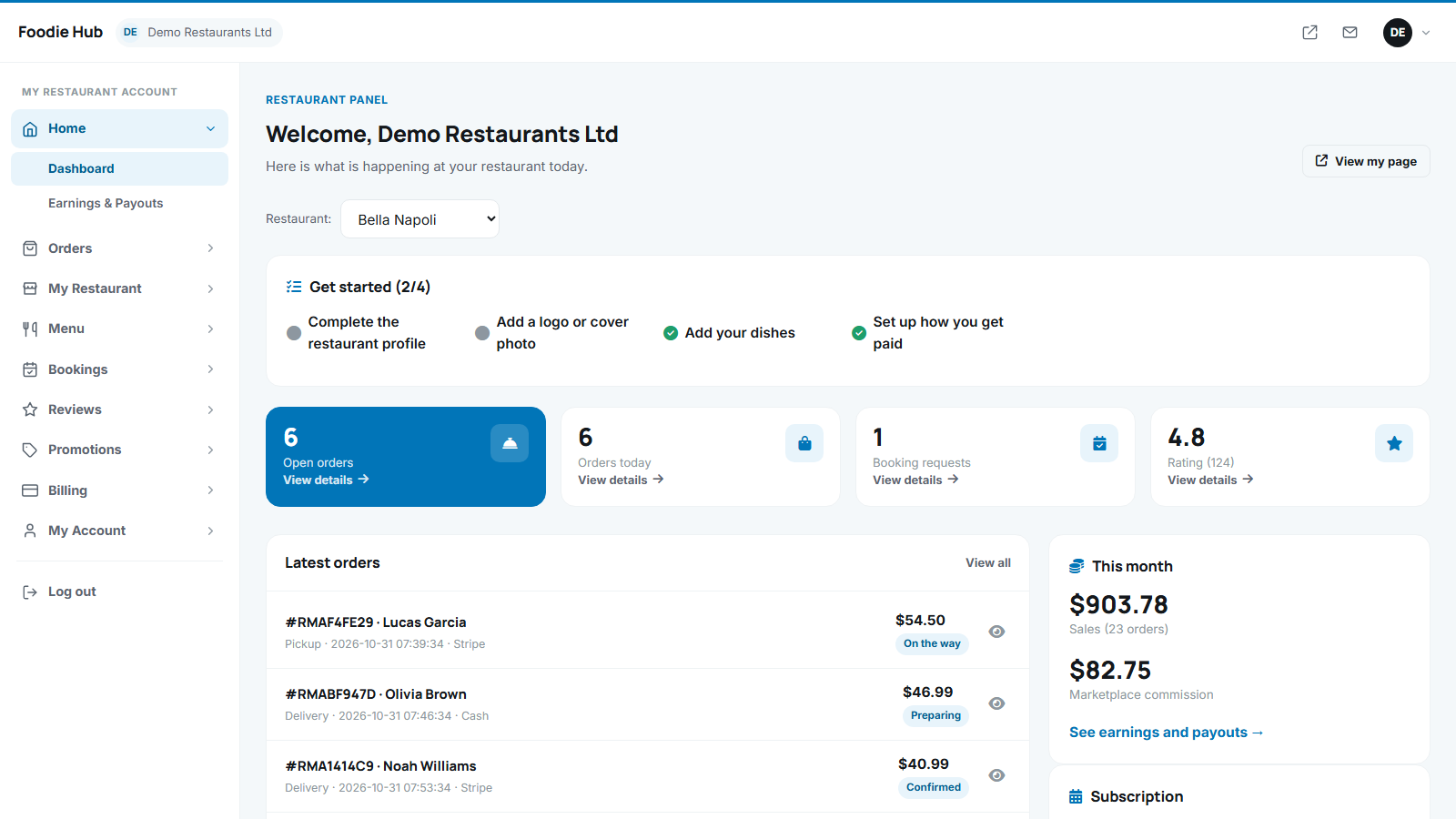
The owner panel at /user_admin/ uses the same clean admin design as the main panel. The dashboard is the first thing a restaurant sees after logging in.
What you see
- Restaurant switcher - owners with several restaurants choose which one they are working on.
- Get started checklist - complete the profile, add a logo or cover photo, add dishes, set up how you get paid. Finished steps get a green tick.
- Statistic tiles - open orders, orders today, booking requests and the rating with the number of reviews.
- Latest orders with amount, payment method and status.
- This month - sales, number of orders and the marketplace commission, with a link to earnings and payouts.
- Subscription - the current plan and its end date, or the commission rate, depending on your charging mode.
Notices
- Waiting for approval - the restaurant is not visible yet.
- Suspended - the administrator hid the restaurant.
- Subscription not active - the restaurant is hidden and cannot receive orders until the plan is renewed (Plans).
The menu on the left
| Item | Page |
|---|---|
| Home | Dashboard, Earnings and payouts |
| Orders | Active orders and order history |
| My restaurant | Profile, photos, online payments, add another restaurant |
| Menu | Dishes and sections, AI menu import |
| Bookings, Reviews, Promotions | Bookings, reviews, promo codes |
| Billing | Plans and payment history |
| My account | Contact details and password |
The panel is fully responsive, so orders can be handled from a phone or tablet in the kitchen.
Last updated