Promo codes and discounts
Promo codes attract new customers and reward loyal ones. Manage them in Promotions → Promo codes.
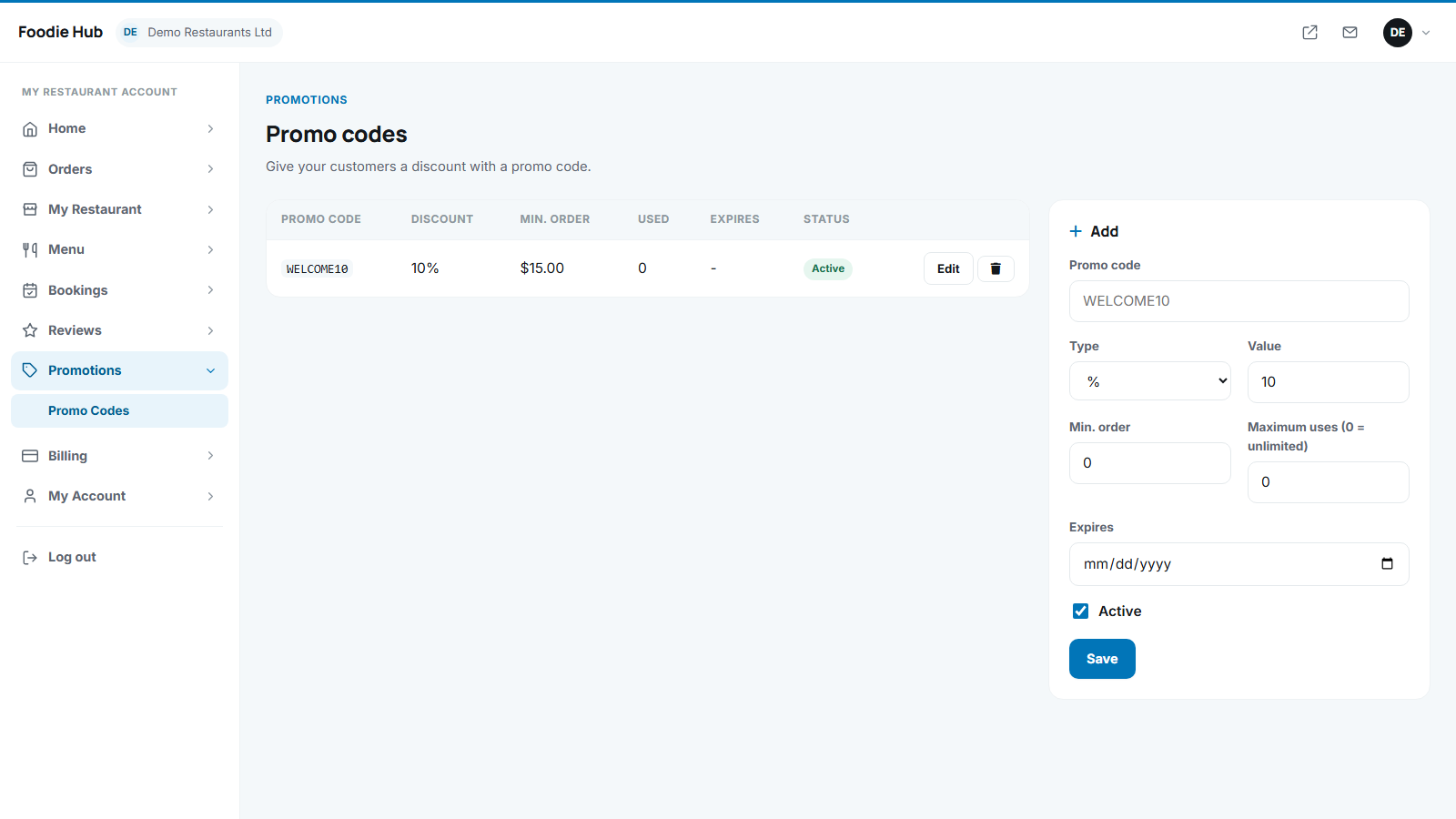
Create a code
| Field | Meaning |
|---|---|
| Code | What the customer types, for example WELCOME10. Codes are not case sensitive and must be unique. |
| Type | Percent of the food value, or a fixed amount. |
| Value | The percentage or the amount. |
| Minimum order | The basket must reach this subtotal. |
| Maximum uses | 0 means unlimited. The code stops working at the limit. |
| Expires | Optional last day. |
| Active | Switch a code off without deleting it. |
How customers use it
In the basket or checkout they type the code and press Apply. The discount is shown in the order summary. An invalid, expired or too-small order gets the message "This promo code is not valid for your order."
The discount reduces the food value, so the marketplace commission is calculated on the discounted amount.
Last updated