Restaurant owners and customers
The Users menu has two lists: restaurant owners and customers.
Restaurant owners
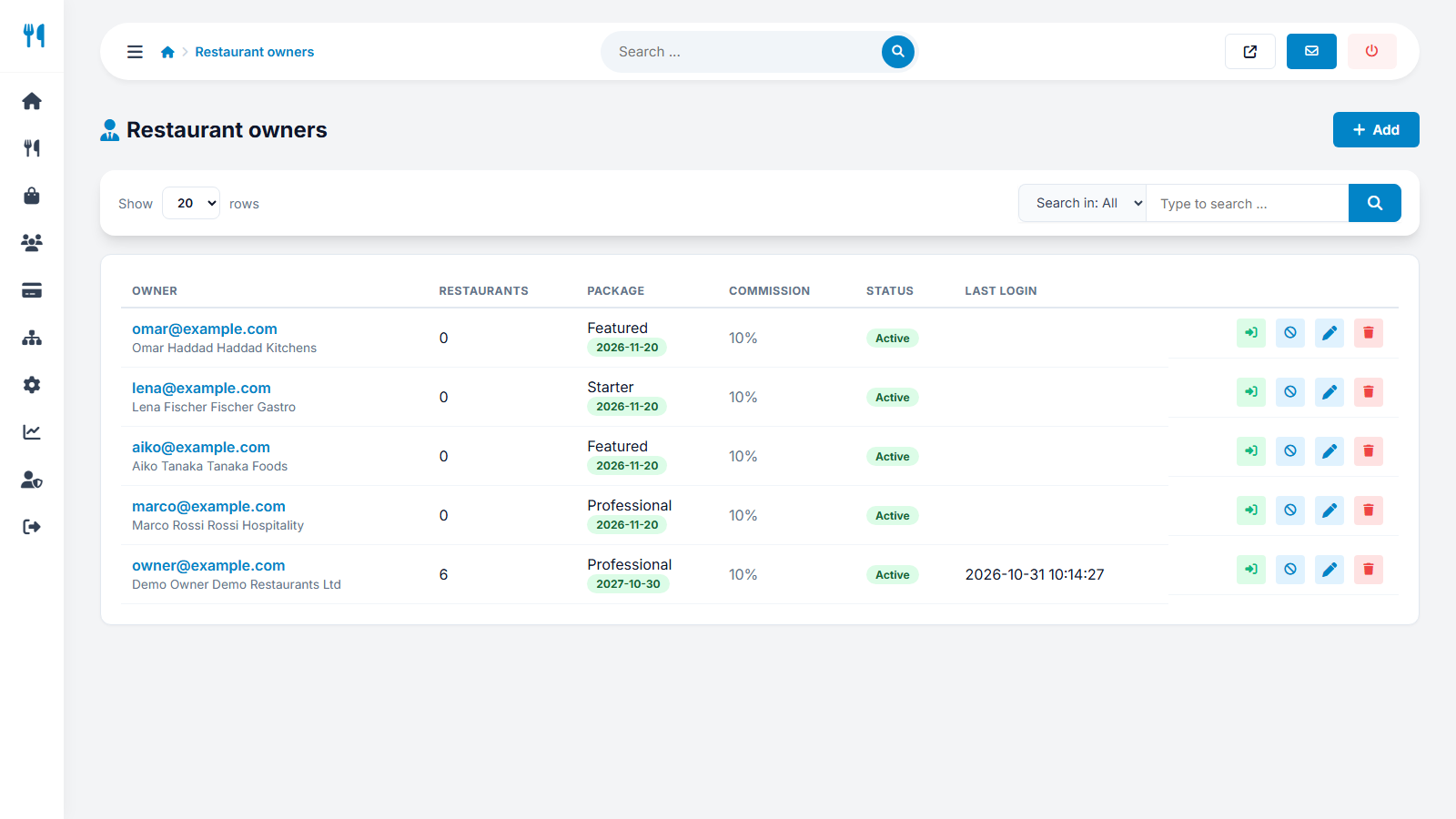
Each owner has contact details, a company name, the number of restaurants, the current plan and its end date. You can:
- Edit the details, set a new password, or activate / suspend the account (or delete it).
- Assign a plan and an expiry date manually, for example as a gift or after an offline payment.
- Set an individual commission rate that replaces the global rate for this owner - perfect for strategic partners (see charging modes).
- Enter the payout details (bank account or PayPal) if the owner has not done it.
- Log in as the owner to see exactly what they see. Very useful for support, for example to set up a menu together.
Customers
The list shows every registered customer with e-mail, name, phone and registration date. You can activate / suspend or delete accounts. Customers who order as guests do not appear here, but their orders are in All orders.
Passwords are stored as secure hashes and cannot be read by anyone, including you. If a user forgets the password, use the Forgotten password link or set a new one in the editor.
Last updated