Pages, blog articles and FAQ
The Website menu controls the content of the public site.
Pages
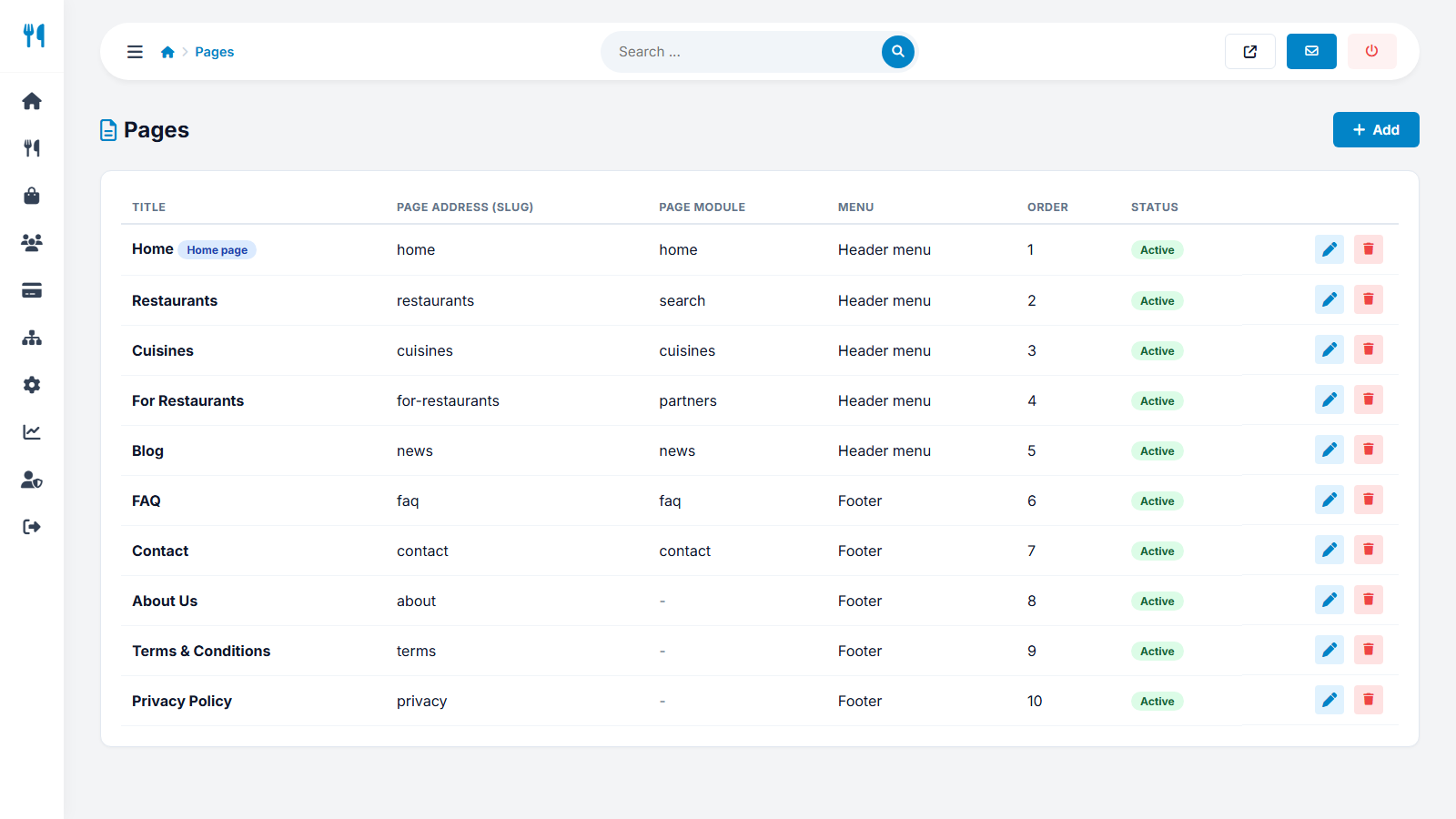
Website → Pages lists the pages that make up the top menu and the footer. Some pages are system pages connected to a script function (Home, Restaurants, Cuisines, For restaurants, Blog, FAQ, Contact); others are normal text pages (About us, Terms, Privacy). For each page you can edit:
- the title and the URL name (slug),
- the meta title and meta description for search engines,
- the content with a visual editor (text pages),
- whether it is active and shown in the bottom (footer) menu.
With several languages each page has a translation per language.
Blog (News)
In Website → News add articles with a title, a short description, cover image, publish date and content. Use the AI writer for a first draft and then edit it. A blog is the best free source of search-engine traffic: write about local food, restaurant tips and your marketplace.
FAQ
Website → FAQ holds questions and answers in two groups, for customers and for restaurants, with a sort order. The installer adds starter questions - adapt them to your business.
Logo and favicon
Website → Logo and favicon lets you upload your logo image (or use the site name as a text logo), the small browser-tab icon and choose the primary, secondary and footer colors of the whole website.
Interface texts
Website → Interface texts edits the button and label texts of the website in every language - see languages.
Last updated