Orders: live screen and history
The Orders menu is where a restaurant works all day.
Active orders
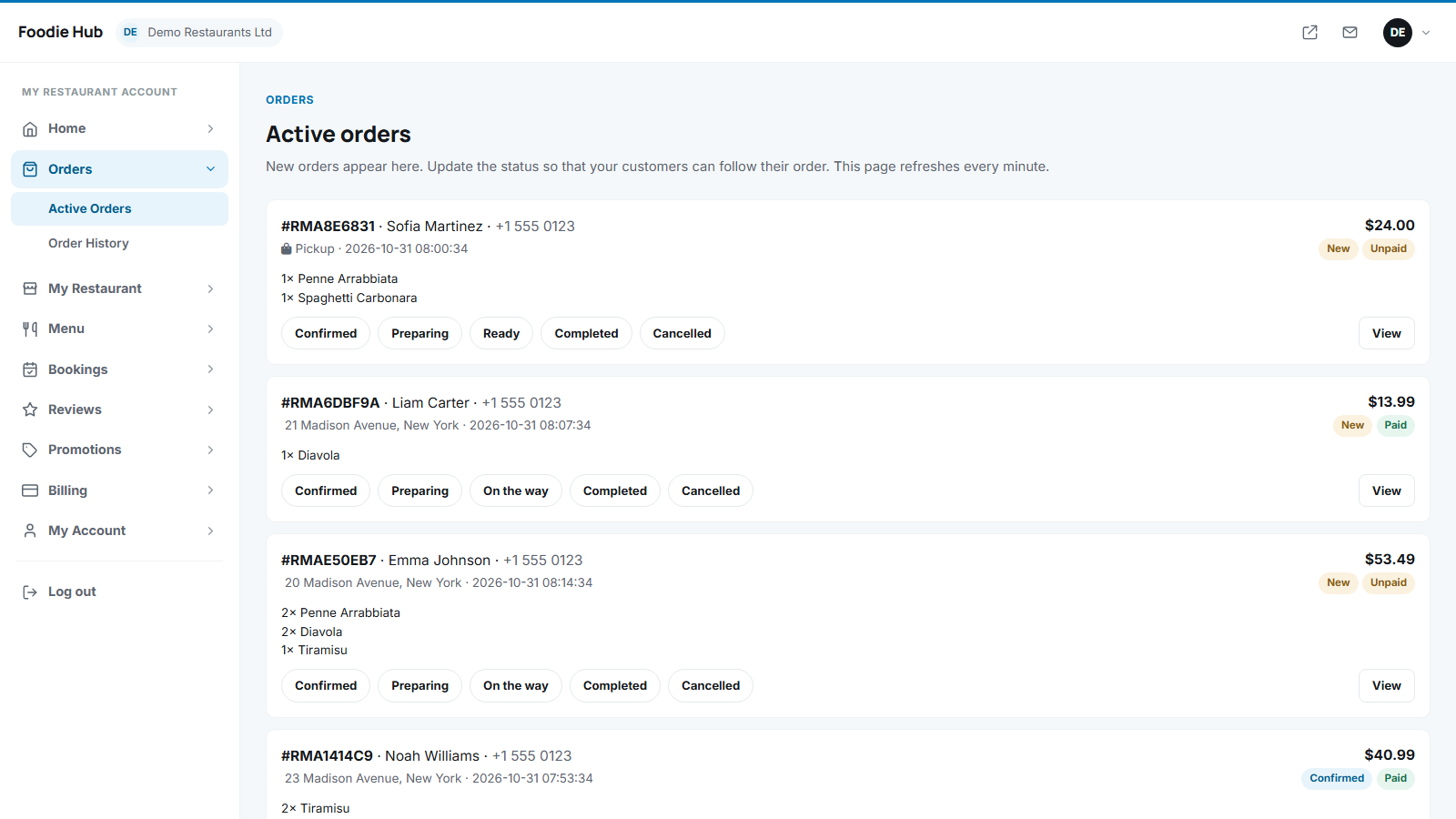
Every new order appears at the top of Orders → Active orders with the customer, phone, address, the ordered dishes and options, the notes, the total and whether it is Paid or Unpaid. The page reloads itself every minute, so it can stay open on a tablet in the kitchen. The restaurant also receives an e-mail for each new order.
Updating the status
Press a status button: Confirmed → Preparing → On the way (delivery) or Ready (pickup) → Completed, or Cancelled. The customer gets an e-mail and sees the change on the tracking page. Completed and cancelled orders move to the history.
Order history
All orders of the restaurant, newest first, with filtering by status and a search box that finds an order by reference, customer name or e-mail. Open an order with View to see every detail, including how much the restaurant earns after commission.
Cash and online payments
- Online paid orders are marked as paid automatically after the provider confirms the payment.
- Cash orders are shown as unpaid and become paid automatically when the restaurant sets the order to Completed - the restaurant collects the money.
- Online orders whose payment has not been completed stay hidden from the restaurant until the customer pays.
Refunds
Refunds of online payments are made in the restaurant's own Stripe or PayPal account (or by the marketplace administrator when the marketplace collects the payments). Afterwards the order is marked as refunded so that the commission is not counted.
Last updated