Table booking
Besides ordering food, every restaurant that enables bookings can receive table reservation requests.
For the diner
- Open the restaurant page and press Book a table.
- Choose the date, time and number of guests, enter name, phone and e-mail and add special requests (birthday, high chair...).
- Press Request booking. The diner receives an e-mail that the request arrived.
- When the restaurant answers, a second e-mail confirms or declines the table.
For the restaurant
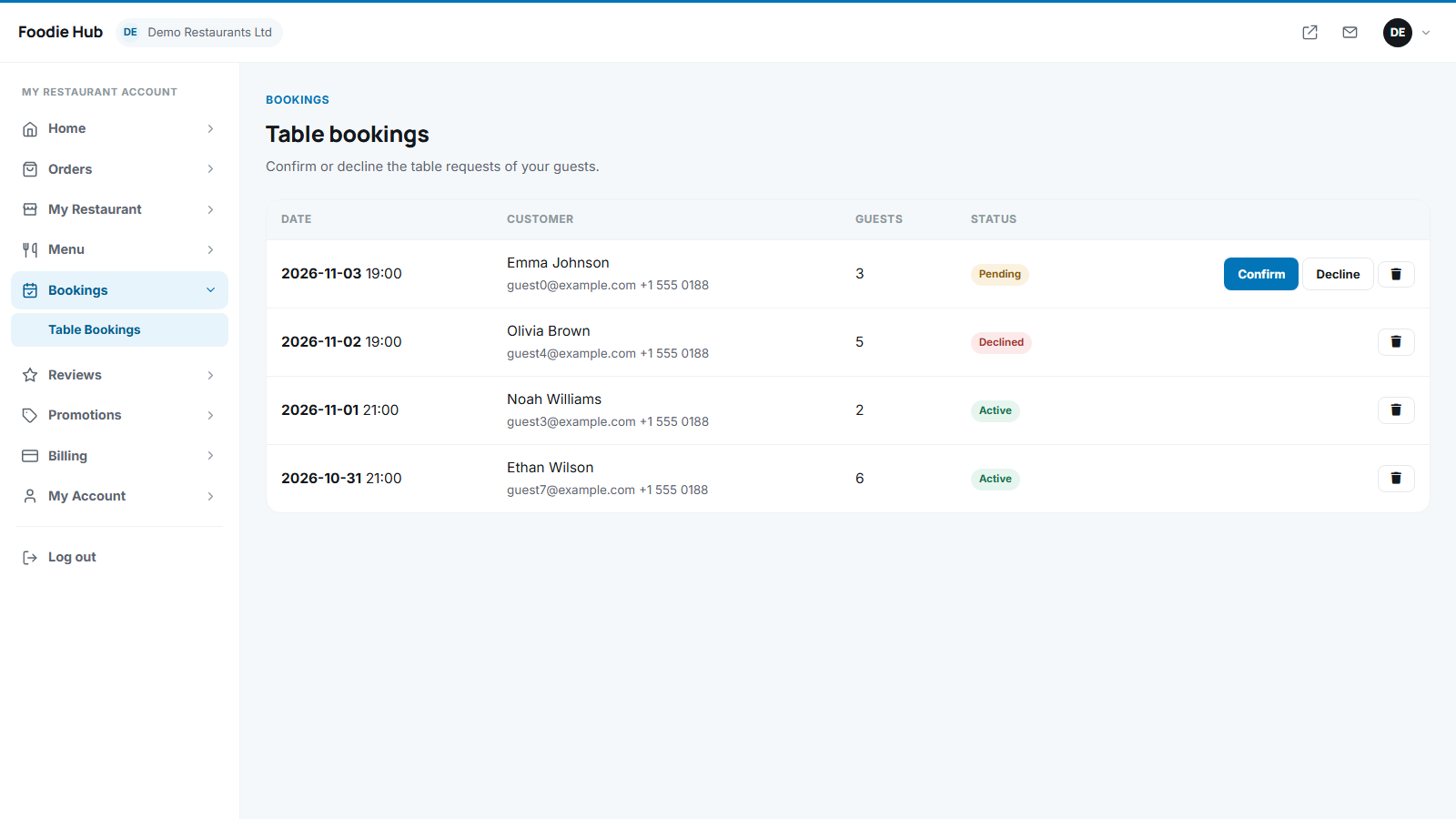
Requests appear in Bookings → Table bookings with a Confirm and a Decline button. The restaurant also gets an e-mail for every new request.
Switching bookings on and off
- A restaurant turns bookings on or off with Accept table bookings in its profile.
- You can disable the feature for the whole marketplace with Enable table bookings in configuration options.
- You see all bookings in Restaurants → Bookings in the admin panel.
Last updated