The admin dashboard
The administration panel at /ADMIN/ is where you run the whole marketplace. After login the Home → Dashboard gives you the state of the business in one screen.
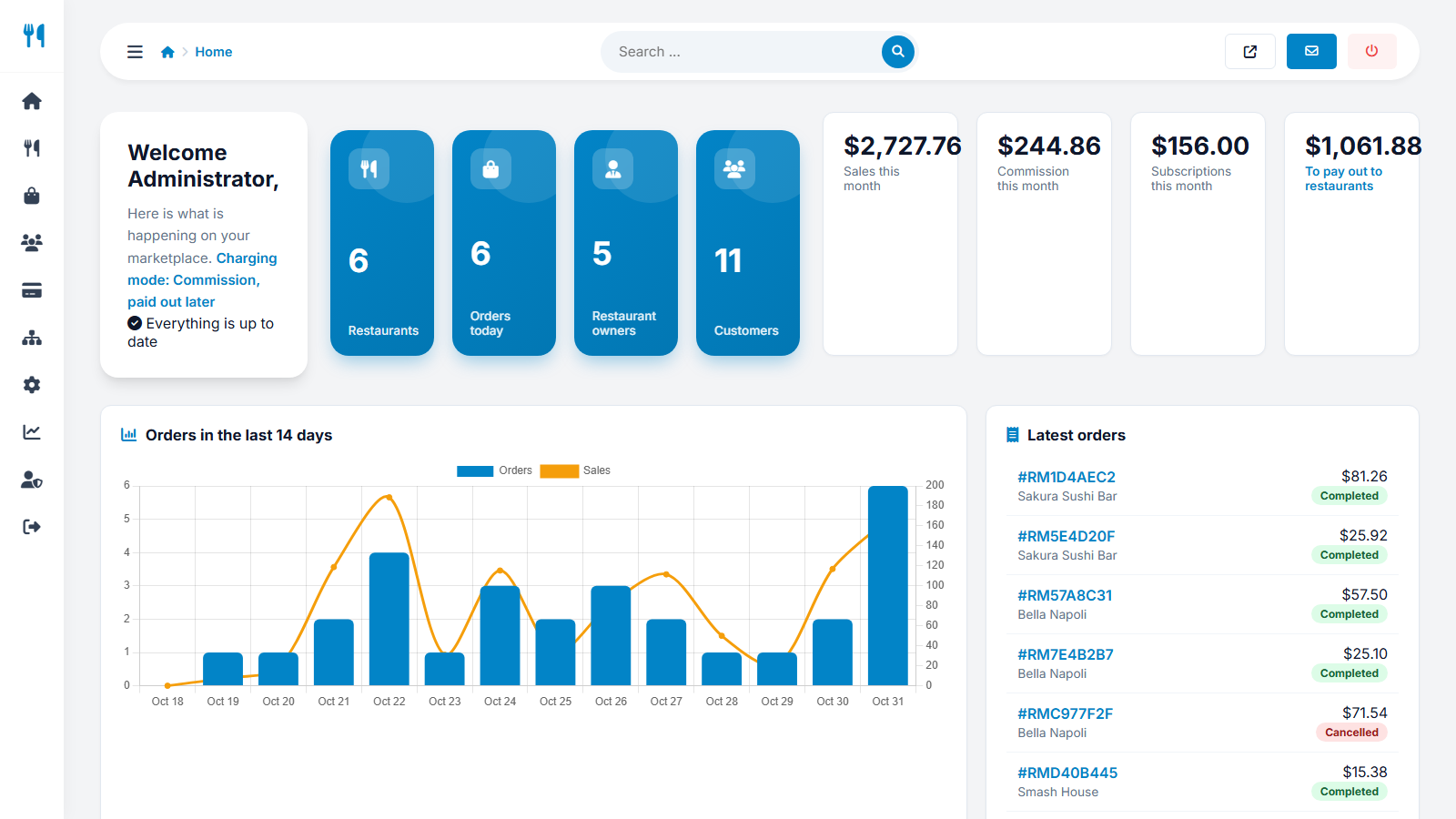
The dashboard
- Welcome card - shows the active charging mode and reminders, for example "Add your AI API key", "Configure e-mail sending" or "3 restaurants waiting for approval".
- Blue tiles - number of restaurants, orders today, restaurant owners and customers.
- Money tiles - sales this month, your commission this month, subscription income this month and what you still have to pay out to restaurants.
- Orders in the last 14 days - a chart with bars for orders and a line for sales.
- Latest orders with restaurant, total and status.
The menu
| Menu | Contains |
|---|---|
| Home | Dashboard, messages from the contact form, login logs, change password |
| Restaurants | All restaurants, add restaurant, cuisines, locations, reviews, bookings |
| Orders | All orders |
| Users | Restaurant owners and customers |
| Payments | Payment settings, payouts, commissions, packages, subscriptions, approve payments, archive |
| Website | Pages, news, FAQ, logo and favicon, interface texts |
| Settings | Configuration, AI, SEO and tracking, social media, languages, backups |
| Statistics | Traffic reports, sales report |
| Admin users | Administrators and groups |
The search box at the top finds any admin page by name. The small buttons at the top right open the website, the messages and log you out.
Messages and login logs
Messages lists everything sent through the website contact form; Login logs records every admin login attempt with the IP address and whether it succeeded - useful for security checks.
Last updated